
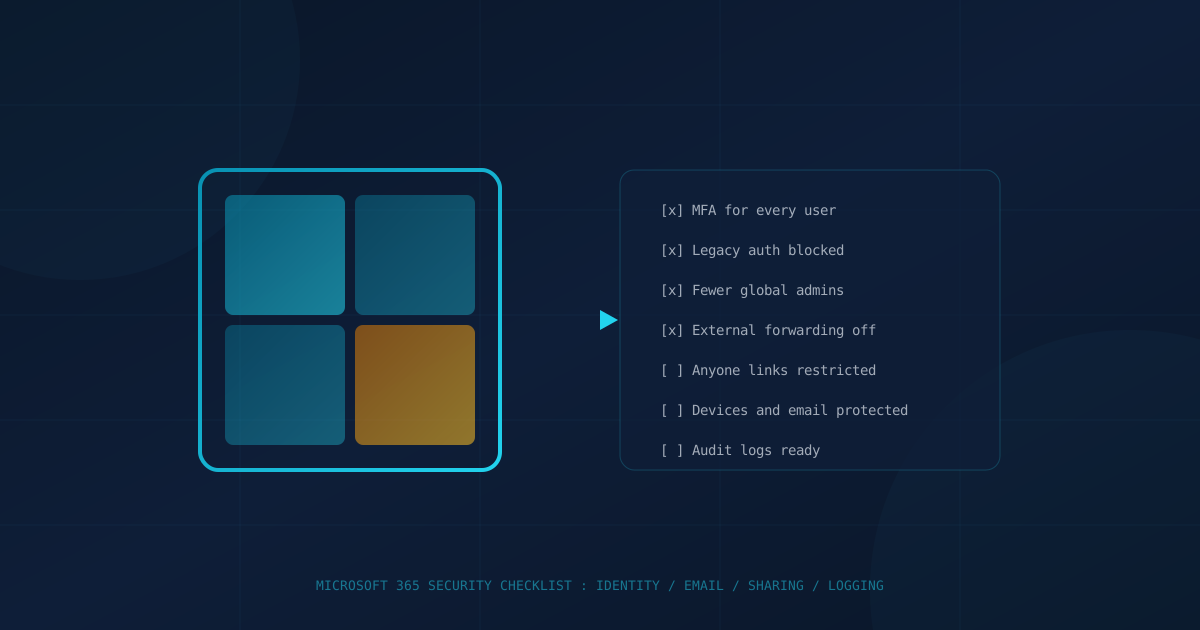
A Microsoft 365 security checklist for a small business comes down to a handful of tenant settings that decide whether one stolen password becomes a breach: multifactor authentication, legacy sign-in protocols, admin accounts, mail forwarding, sharing links, and logging. Microsoft says MFA and blocking legacy authentication stop "more than 99.9%" of common identity attacks, and both are available at no extra cost through security defaults.
The checklist below is the one we would want a business owner in Canada or the US to walk through with their IT lead or provider. Each item names the setting, why it matters, and what "done" looks like. It draws on Microsoft's own documentation and the US Cybersecurity and Infrastructure Security Agency's (CISA) Secure Cloud Business Applications (SCuBA) baseline for Microsoft Entra ID, written for US federal agencies but published for anyone to use.
Is multifactor authentication enforced for every Microsoft 365 user?
MFA should be required for every account that can sign in, not just offered. Microsoft's security defaults require all users to register for MFA and require administrators to complete MFA every time they sign in. Organizations with Microsoft Entra ID P1, which Microsoft includes in Microsoft 365 Business Premium, can use Conditional Access policies instead, which Microsoft recommends for P1 and P2 tenants.
- Check: in the Microsoft Entra admin center, confirm either security defaults are enabled or Conditional Access policies require MFA for all users.
- Done looks like: no user exclusions except documented emergency access accounts.
Plain MFA codes can still be phished. Kits like the one behind the FBI's Kali365 warning steal Microsoft 365 access tokens and bypass MFA, which is why admins and finance staff are good candidates for phishing-resistant authentication such as passkeys or hardware keys.
Is legacy authentication blocked?
Legacy authentication should be blocked, because it does not support MFA. Microsoft's security defaults documentation says "most compromising sign-in attempts come from legacy authentication," and that an attacker using an older protocol can "bypass multifactor authentication" even when an MFA policy exists. CISA's SCuBA baseline states plainly: "Legacy authentication SHALL be blocked."
- Check: security defaults on, or a Conditional Access policy that blocks legacy authentication clients.
- Watch for: old scanners, copiers or line-of-business apps that send email with a basic username and password. Move them to a supported method before you block.
How many Global Administrators does your tenant have?
Microsoft recommends fewer than five people hold the Global Administrator role, plus two cloud-only emergency access accounts that are not tied to a specific person. CISA's SCuBA baseline sets a range of two to eight for federal agencies. In small businesses, the common problem is the opposite: the owner, the office manager and a former IT contractor all still hold full admin rights on their everyday accounts.
- Check: Entra admin center, Roles and admins, Global Administrator. Count the assignments.
- Done looks like: admins use a separate admin account for admin work, which Microsoft also recommends, and nobody who has left still holds a role. Our guide to access reviews covers how to make this a routine.
Is automatic forwarding to outside addresses turned off?
Automatic forwarding to external addresses should be off unless a named person has a documented need. Microsoft's guidance notes that users can set inbox rules to forward mail externally "deliberately or as a result of a compromised account." A hidden forwarding rule is a common way attackers keep reading a mailbox after the password is changed.
The default outbound spam policy setting, "Automatic - System-controlled," is not the same in every tenant. Microsoft says it can still mean forwarding is allowed in some older organizations, and recommends setting On or Off explicitly instead.
- Check: Microsoft Defender portal, outbound spam filter policy, automatic forwarding rules.
- Done looks like: set to Off, with any approved exceptions handled in a separate, named policy.
Who can create "Anyone" sharing links?
Anonymous sharing should be restricted or turned off for most businesses. Microsoft's documentation, quoted in our post on anyone-with-the-link sharing, says people using an Anyone link "don't have to authenticate, and their access can't be audited." Set the organization default to "People in your organization" or "Specific people," and set an expiry if Anyone links are allowed at all.
Are devices and email protected beyond the basics?
Identity settings protect sign-in. Devices and email need their own layer. According to Microsoft's documentation, Microsoft 365 Business Premium includes Microsoft Defender for Business for devices, Defender for Office 365 Plan 1 for email and Microsoft Entra ID P1 for Conditional Access. If you already pay for Business Premium, check whether those tools are actually turned on and assigned. Licences that are paid for but never configured are a common finding.
- Endpoints: every company laptop onboarded to endpoint protection and enrolled for management.
- Email: anti-phishing, Safe Links and Safe Attachments policies applied to all users, not just a pilot group.
Could you investigate a compromised account tomorrow?
You can only investigate what was logged. Before an incident, confirm audit logging is on, decide how long you keep logs, and know who can search them. Then check how sessions are ended: token theft lets an attacker reuse a signed-in session without the password or an MFA prompt, so resetting a password alone may not lock them out. Microsoft's security defaults guidance recommends revoking existing tokens when MFA is first enforced, and the same step belongs in your account-compromise playbook.
What should US and Canadian businesses take from this?
The settings are the same on both sides of the border, because the tenant is the same product. What differs is who asks about them. In the US, CISA's SCuBA baselines give a free, published benchmark. In Canada, the Canadian Centre for Cyber Security's baseline controls for small and medium organizations recommend two-factor authentication wherever possible, especially for administrator and cloud administration accounts. Cyber insurers in both countries ask about MFA and admin accounts, as our underwriting checklist explains.
The question to put to your IT lead or provider is short: "Can you show me, in the admin center, that each of these seven items is set the way this checklist describes?" If the answer is a screen share in under an hour, you are in good shape. If it turns into a project, that is useful to know now.
For a broader view than Microsoft 365 alone, our free quick security assessment covers 22 security areas in under five minutes and shows where to start.
This article is intended for general informational purposes only and does not constitute professional security, legal, or compliance advice. Microsoft 365 settings, licence contents and portal locations change frequently; details are based on Microsoft and CISA documentation as of the date of publication. Organizations should test configuration changes and consult qualified IT or cybersecurity professionals before changing production tenant settings.