
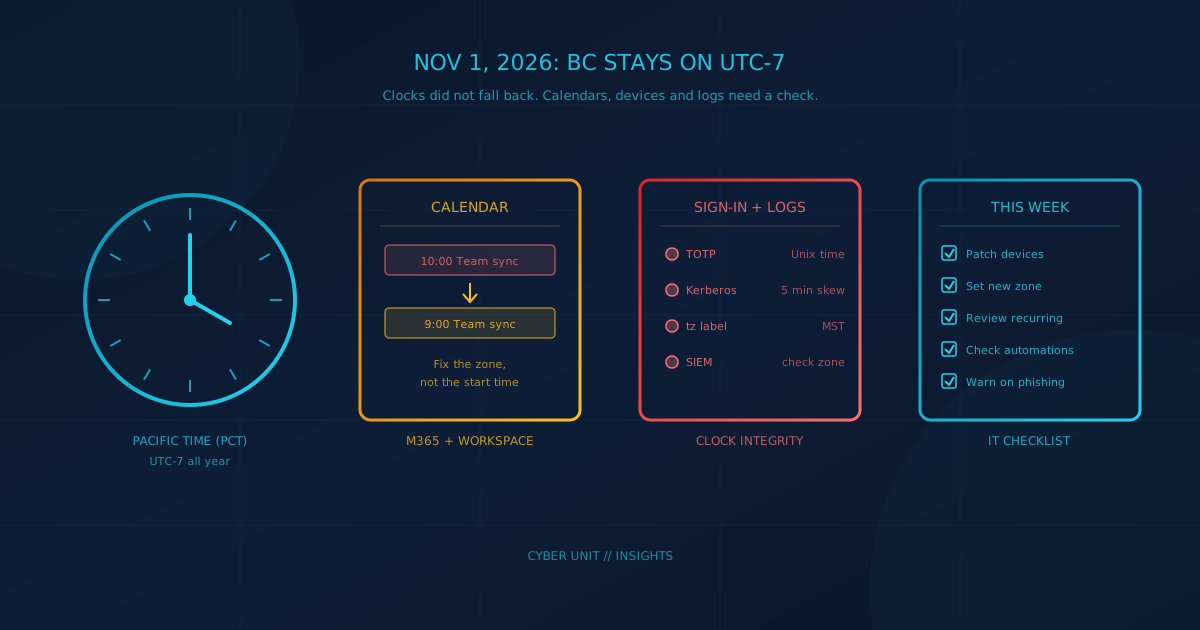
The BC time zone change is now live: on November 1, 2026, when clocks would normally have fallen back, most of British Columbia stayed on UTC-7 while US Pacific clocks fell back an hour. According to the Province of British Columbia, "People and businesses will have eight months to prepare for Nov. 1, 2026, when clocks would usually be turned back, but now will remain the same." For any business that books meetings, runs automations or keeps security logs across the BC border, that one unchanged hour is worth an hour of checking this week.
This post covers what changed, who is affected on both sides of the border, and the specific items Microsoft and Google have published for administrators.
What actually changed in BC on November 1?
BC is now on permanent Pacific time, abbreviated PCT, at seven hours behind UTC. The BC government's time zone page says the Interpretation Amendment Act became law in 2019 and that a regulation "brought the amendments into effect on March 8, 2026." The Province's September 17, 2026 announcement confirmed that "On Nov. 1, 2026, when clocks would have been turned back an hour, no change will be made."
Two regional details matter for anyone with staff or sites in the Interior:
- Northeastern BC (including Dawson Creek, Fort St. John and Fort Nelson) stays on UTC-7, which now matches PCT, according to the Province.
- Southeastern BC (including Cranbrook, Fernie, Golden and Invermere) "will remain aligned with Alberta and use mountain daylight time (UTC-6) year round," the same page says.
Who is affected outside BC?
Anyone who schedules with BC. NIST states that in 2026 US daylight saving time ran "from March 8 at 2 a.m. (local time) to November 1 at 2 a.m. (local time)," so US Pacific clocks fell back while BC did not. CBC News reported on October 31, 2026 that "most of B.C. will be one hour ahead of Washington state to the south and two hours behind Ontario and much of Quebec."
BC is not alone. Alberta says "Beginning in November 2026, clocks will no longer reset to Mountain Standard Time," and Manitoba says "On Nov. 1, 2026, Manitobans will not turn their clocks back one hour." A Seattle, Portland or Denver business with a Vancouver client, a Calgary supplier and a Winnipeg contractor now has three gaps that differ from last winter. For US teams, the practical change is simple: stop assuming the old one-hour or zero-hour difference and confirm times in the other party's named time zone.
Why did calendars and clocks show the wrong hour?
Because the old time zone setting still contains the fall back rule. UBC IT explained on October 20, 2026 that "Most computers currently use the time zone (UTC-08:00) Pacific Time (US & Canada) and treat November 1 as a 'fall back'" so "meetings and appointments on or after November 1 may appear one hour off."
Vendors were racing a short deadline. In an October 23, 2026 post, Google Canada warned that its updates, "due to short notice, may not reach every user in time," and that some Android and Chrome devices "along with Google Calendar may not be configured to prevent the clock from automatically switching to standard time." The Canadian Telecommunications Association gives the same warning: "Devices with outdated software may not reflect these changes and could display a time that is one hour off."
What should Microsoft 365 admins check?
Start with Windows, then calendars. Microsoft's DST team shipped BC support in the September 22, 2026 preview update for Windows 11 versions 24H2 and 25H2, and in the October 13, 2026 security update for other supported versions. Microsoft's Canada 2026 guidance page warns that "Devices on unsupported Windows versions will not receive the time zone update."
Editions at end of life need a second look: our October 2026 Patch Tuesday breakdown notes that Windows 11 version 24H2 Home and Pro reached end of updates on October 13, 2026, and that the October update is the last one those editions will receive. Confirm it actually installed.
From Microsoft's guidance page (revised October 30, 2026) and its Outlook support article:
- Set the new zone. BC users should be on "(UTC-07:00) Pacific Time (British Columbia)" in Windows and in Outlook's calendar settings.
- Have organizers fix their own meetings. Microsoft says "Existing calendar events do not migrate automatically, and recurring meetings need additional review," and "For meetings with attendees, only the Organizer can make the change."
- Watch recurring series. Changing a series' time zone resets exceptions, so moved or cancelled instances need to be recreated.
- Expect a cleanup tool. Microsoft lists an Exchange Online PowerShell cmdlet for non-recurring meetings as "releasing by November 4, 2026," although the same page's recommended actions for admins still show an October 28 target. Recurring meeting remediation is still in development.
- Check rooms and automations. Microsoft says affected Teams Rooms on Windows devices "displayed time one hour behind Windows," and its mitigation is to update Edge/WebView2. For Power Automate, Microsoft warns that "From November 1, 2026, a 1-hour drift will be observed when using US-linked zones," and suggests Yukon Standard Time for BC (Arizona for recurrence triggers) as a temporary mapping.
- Report problems. Microsoft asks admins to open a support case with "#CanadaTimeZone" in the title.
UBC IT adds one rule worth repeating to staff: "Don't shift meeting start times by an hour to compensate. Change the meeting's time zone instead."
What should Google Workspace admins check?
Google's Workspace admin article (last updated October 26, 2026) says BC events on or after November 1 that were "created before July 20, 2026" can appear one hour later than scheduled. Google says it would automatically shift most affected events in October 2026, covering single events and recurring events without future exceptions.
What Google does not fix for you:
- Invitations from Outlook users. Google says it "won't automatically update all affected events, including invitations from Outlook users."
- Recurring events with exceptions. Users should adjust each instance manually.
- Mobile and third-party apps. The warning banner and one-click "Move one hour earlier" fix appear only in Google Calendar on the web.
- Room bookings. Google warns that "room conflicts are likely to occur when meetings shift," and organizers should verify room availability.
Google is also explicit about one thing not to do: "Don't run your own domain-wide scripts or use third-party bulk-remediation tools to shift these events." If you are reviewing Workspace settings anyway, our Google Workspace security checklist walks through the Admin console controls that matter most for a small business.
Does the BC time zone change affect MFA, logins and logs?
Not directly, but a well-meant fix can. Authenticator app codes defined in RFC 6238 are calculated from "Unix time (i.e., the number of seconds elapsed since midnight UTC of January 1, 1970)," so a correct clock with the wrong zone label still produces valid codes. The problem is a user who manually moves the clock an hour so the display looks right. That makes the device's actual time wrong.
RFC 6238 recommends validators reject codes beyond a small drift window, and Windows domain logins are stricter still. Microsoft's Kerberos policy documentation advises setting the maximum tolerated clock difference between a client and the domain controller to 5 minutes. A clock pushed an hour off is far outside that. The rule for staff: change the time zone, never the clock.
Security logs deserve a look too. Manitoba's business guidance lists "security systems and timestamped records" and "automated jobs and scheduled integrations" among the systems to check. The IANA time zone database 2026b release notes that affected BC timestamps "use the abbreviation MST," so a Vancouver log line may now read MST. If firewall, endpoint and Microsoft 365 logs mix local and UTC times, reconstructing a timeline during an incident gets harder. Our post on Microsoft 365 security settings covers confirming audit logging is on, and incident response planning covers why a clean timeline matters.
Will attackers use the time change as a phishing lure?
Plan as if they will. Criminals routinely borrow whatever is in the news, a pattern we covered in how news headlines turn into phishing attacks, often by offering a download to "fix" a problem people are already worried about. We have not seen public reporting of a campaign tied to the BC change as of November 1, 2026, but the setup fits.
Tell staff that the real fixes arrive through Windows Update, the Apple and Google system updates, the app store, and your IT team. Treat any email offering a "time zone patch," a calendar "resync" link or an attachment to fix meeting times as suspicious, and report it.
A checklist for this week
- Confirm every Windows PC has the October 2026 update and shows "(UTC-07:00) Pacific Time (British Columbia)" (or Yukon as a temporary fallback).
- Update and restart phones, Macs and Chromebooks, then spot-check the displayed time.
- Ask meeting organizers to update recurring series that run past November 1, and recheck rooms.
- Review Power Automate flows, scheduled reports and other jobs that run on local time.
- Check that security logs and alerts use a consistent time reference.
- Brief staff: change the zone, not the clock, and ignore "time fix" emails.
What should business leaders ask their IT lead?
One question covers most of it: "Which of our devices, calendars and scheduled jobs are still on the old Pacific Time (US & Canada) zone, and who is fixing them?" If nobody owns that answer, keeping updates and cloud settings current is the kind of routine work our managed IT services handle, including patching and Microsoft 365 and Google Workspace administration.
Time zone drift is a small symptom of a bigger question: whether updates actually reach every device you own. A free cybersecurity assessment takes under 5 minutes, covers 22 security areas, and requires no signup.
The durable lesson
Time rules keep changing. The IANA time zone database shipped five releases between April and October 2026 (2026b to 2026f) with time rule changes for BC, Alberta, Morocco, the Northwest Territories, Manitoba and Cuba. The habits that make a change like this routine are the same ones covered above: patched devices, calendars that use named time zones, and logs on a single time reference. They pay off well beyond a clock change.
This article is intended for general informational purposes only and does not constitute professional security, legal, or compliance advice. Details about the BC time zone change and vendor guidance are based on government announcements and Microsoft, Google and IANA documentation as of the date of publication, and vendor fixes and timelines may change. Organizations should consult qualified IT professionals before making changes to production systems based on this article.