
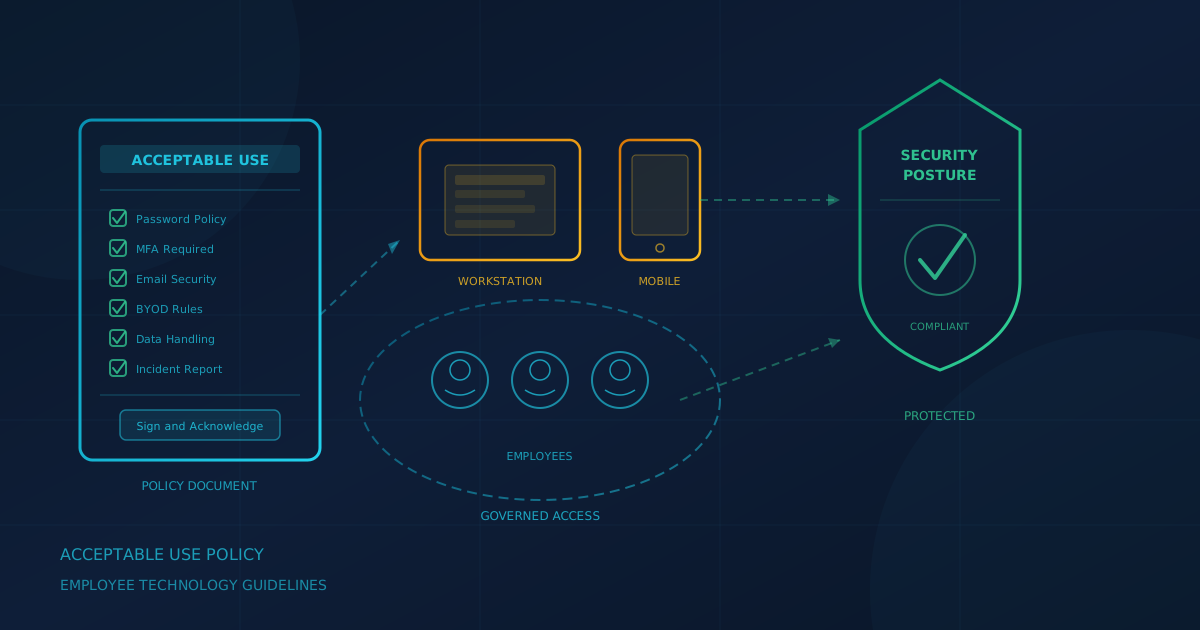
An acceptable use policy for employees is a written document that defines how staff may use company technology, including devices, email, internet access, cloud services, and data. According to the Canadian Centre for Cyber Security's Baseline Cyber Security Controls, organizations should have "clear policies on password length and reuse, the use of password managers and if, when, and how users can physically write down and securely store a password." That is one piece of a broader acceptable use policy that covers everything from phishing reporting to AI tool use.
This guide explains what sections to include in an IT acceptable use policy for small and mid-sized businesses in Canada and the United States, how to roll it out, and what mistakes to avoid.
What is an acceptable use policy for employees?
An acceptable use policy (AUP) is a formal agreement between an employer and employees that sets expectations for using company technology. It typically covers devices, networks, email, internet access, software, cloud services, and data handling. The policy explains what employees may and may not do, describes monitoring practices, and outlines consequences for violations. Unlike a full information security policy, an AUP focuses on day-to-day employee behavior rather than technical controls.
CISA's Cyber Essentials guidance recommends that leaders "lead development of cybersecurity policies" as a foundational action. An AUP is one of the most practical policies a small business can implement because it directly addresses how employees use the systems they interact with every day.
Why do small businesses need an IT acceptable use policy?
Small businesses face the same threats as larger organizations but often lack formal policies. An AUP reduces risk in several ways: it establishes clear expectations before problems occur, creates a basis for enforcement if violations happen, demonstrates due diligence for cyber insurance applications, and supports compliance with privacy regulations in both Canada and the US.
The CCCS Baseline Controls document states that "human error while using information systems remains an element of too many cyber security incidents" and recommends that organizations "invest in cyber security awareness and training for their employees." A written policy is the foundation that training builds on. Without it, employees make their own judgments about what is acceptable, which may not align with the organization's risk tolerance.
What sections should an acceptable use policy include?
An effective AUP addresses the categories of technology use that create the most risk. The following sections cover what most small businesses need. Adapt the detail to your environment.
Company devices and accounts
Specify that company devices are for business purposes and may be monitored. Require employees to report lost or stolen devices immediately. Make clear that company accounts (email, cloud storage, business applications) belong to the organization and must not be used for personal purposes. The CCCS recommends awareness training cover "use of approved software" and "appropriate usage of the Internet," which means employees should understand these expectations before accessing company resources.
Passwords and multi-factor authentication
Require strong, unique passwords for every account. Permit or require password managers. Mandate multi-factor authentication (MFA) for all accounts that support it. CCCS guidance states organizations should "implement two-factor authentication wherever possible, and document all instances where they make the business decision not to do so." Our guide to choosing a business password manager covers what to look for in a credential management tool.
Email and phishing reporting
Explain what suspicious emails look like and how employees should report them. Make clear that reporting a clicked link or opened attachment is expected, not punished. The CCCS recommends training employees on "identification of malicious emails and links." A blame-free reporting culture catches problems earlier.
Personal devices (BYOD)
If employees use personal devices for work, define the security requirements: device encryption, screen lock, current operating system, approved apps only. The CCCS states that "organizations should enforce separation between work and personal data on mobile devices with access to corporate IT resources." Our article on BYOD risks and personal device security explains why this separation matters and what controls to consider.
Internet and software installs
State whether employees may install software on company devices and what approval process applies. Address streaming, personal browsing, and downloads. The CCCS recommends that organizations "ensure that employees only download mobile device apps from the organization's list of trusted sources." Unapproved software is a common entry point for malware.
Cloud and file sharing
Specify which cloud storage and sharing services are approved. Prohibit uploading company data to personal cloud accounts. Require that shared links be restricted to specific recipients, not "anyone with the link." Our article on "anyone with the link" sharing risks covers why unrestricted sharing creates exposure.
AI tools
AI tools are a rapidly evolving category. At a minimum, prohibit entering confidential data into unapproved AI services. Our detailed guide on what an AI usage policy should include covers approved tools, data classification, account requirements, and review cadence. Keep the AUP section brief and reference that policy for specifics.
Remote work and public Wi-Fi
Require VPN use when connecting to company resources from outside the office. Prohibit accessing sensitive data over public Wi-Fi without a VPN. The CCCS states organizations should "consider using a VPN if they require connectivity to public Wi-Fi networks." Address home network security expectations if employees work remotely.
Monitoring and privacy notice
Be transparent about what the organization monitors: email, web browsing, device activity, file access. Employees should know monitoring exists before it happens. Privacy rules around employee monitoring vary by province in Canada and by state in the US. The Office of the Privacy Commissioner of Canada provides guidance on balancing employer "need to know" with employee privacy rights. Consult qualified legal counsel to ensure your monitoring practices comply with applicable laws in your jurisdiction.
Data handling
Define how employees should handle sensitive data: customer information, financial records, employee data, intellectual property. Specify what may not be copied, printed, or removed from company systems. Address data retention and secure disposal. The CCCS recommends that organizations "assess the potential injury to the confidentiality, integrity, and availability to their information systems and assets."
Reporting incidents
Explain how to report a suspected security incident: who to contact, what information to provide, and how quickly. Your policy should make clear that staff are expected to report suspicious activity and will not be punished for reporting it in good faith. Our article on incident response planning covers why having this process defined in advance matters.
Consequences of violations
State the range of consequences for policy violations: verbal warning, written warning, retraining, suspension, or termination. Explain that severity depends on the nature and intent of the violation. An AUP without consequences is a suggestion.
Acknowledgement and annual review
Require employees to sign an acknowledgement that they have read, understand, and agree to follow the policy. Collect this signature at onboarding and again whenever the policy is significantly updated. Schedule an annual review to keep the policy current with new threats and tools.
How should you roll out an acceptable use policy?
A policy that employees cannot find or understand does not reduce risk. Rolling out an AUP effectively requires several steps:
- Write in plain language. Avoid legal jargon. Employees should understand what they can and cannot do without a law degree.
- Get leadership buy-in. If executives ignore the policy, employees will too. The CISA Cyber Essentials guidance emphasizes that cybersecurity culture starts with leadership.
- Introduce at onboarding. New employees should receive and sign the AUP before they access company systems. Our guide to IT onboarding and offboarding covers how to build this into your process.
- Provide training. A signed policy is not the same as understanding. Walk employees through the key points. Security awareness training reinforces policy expectations with practical examples of phishing, social engineering, and safe computing habits.
- Make it accessible. Post the policy where employees can find it: company intranet, shared drive, employee handbook. A policy nobody can locate is a policy nobody follows.
- Review annually. Technology changes. Threats evolve. Regulations update. Set a calendar reminder to review and update the policy at least once a year.
What are common AUP mistakes to avoid?
These errors undermine even well-intentioned policies:
- Writing once and forgetting. A policy from 2019 does not address AI tools, current phishing techniques, or remote work realities. Update regularly.
- Making it too long. A 30-page document is not a policy; it is a defense exhibit. Keep it readable.
- Being vague about monitoring. Unclear language about what the company monitors creates legal risk and erodes trust. Be specific.
- No enforcement. If violations have no consequences, the policy is advisory. Apply it consistently.
- Excluding contractors and vendors. Anyone with access to your systems should be covered by an AUP or equivalent agreement.
- Skipping the signature. Without acknowledgement, employees can claim they never knew the rules. Collect signatures at onboarding and after significant updates.
One step you can take today
If your organization does not have an acceptable use policy, or if the one you have is outdated, now is the time to start. A basic AUP covering the sections above can be drafted in an afternoon and refined over time. Managed IT services can help with employee onboarding and offboarding as part of a broader IT relationship.
If you are unsure where your business stands on security policies, passwords, MFA, and other controls, our free cybersecurity assessment takes about five minutes and covers 22 security areas. It runs entirely in your browser with no signup required.
This article is intended for general informational purposes only and does not constitute professional legal, compliance, or security advice. Acceptable use policies should be reviewed by qualified legal counsel to ensure compliance with applicable employment and privacy laws in your jurisdiction. Organizations in Canada should consider PIPEDA and provincial privacy legislation; organizations in the US should consider applicable state laws. The Canadian Centre for Cyber Security and CISA guidance referenced in this article are publicly available frameworks, not legal requirements.