
What happens when Windows 11 24H2 support ends on October 13, 2026?
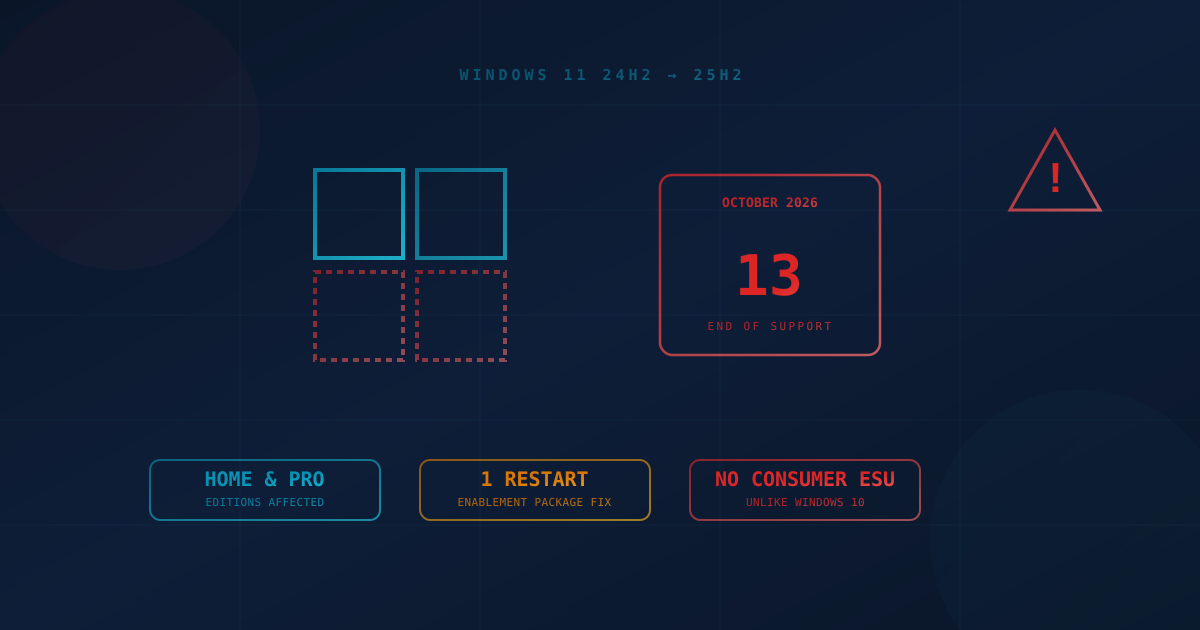
Windows 11 version 24H2 Home and Pro stop receiving security updates on October 13, 2026. After that date, your PC keeps working, but Microsoft will not patch newly discovered vulnerabilities. The upgrade to 25H2 is free and installs as a small enablement package with a single restart. Unmanaged PCs will update automatically, but devices managed through Group Policy, Intune, or WSUS may be held back by deferral policies you set months ago. Check your settings now.
On October 13, 2026, Microsoft stops shipping security updates for Windows 11 version 24H2 Home and Pro editions. That is roughly four weeks from today. Any PC still running 24H2 after that date keeps working — it just stops getting patched, on the same monthly cycle that fixed 966 vulnerabilities this September alone.
Consumer devices with default settings will largely upgrade themselves. The businesses most likely to miss the deadline are the ones that deliberately slowed updates down: fleets managed through Group Policy, Intune, or WSUS with feature-update deferrals set for compliance or stability reasons.
This post covers what actually changes on October 13, why managed environments are the ones at real risk, and the specific settings an IT team or MSP needs to check before the deadline.
What Happens on October 13, 2026?
Windows 11 version 24H2 Home and Pro reach end of servicing on October 13, 2026, roughly 24 months after the version's original release. After that date, Microsoft no longer ships monthly security or non-security updates to devices still running 24H2 Home or Pro. The operating system does not stop functioning, and Microsoft is not disabling anything — but every vulnerability discovered in Windows from that point forward simply goes unpatched on those machines, indefinitely.
Two details matter more than the headline date:
- Enterprise and Education editions get an extra year. Windows 11 24H2 Enterprise, Education, and IoT Enterprise run on a 36-month servicing lifecycle, so those SKUs stay supported until October 12, 2027. Home and Pro run on the shorter 24-month cycle. A mixed fleet can have identical hardware running two different support clocks depending only on which edition license is installed.
- There is no announced consumer ESU bridge for 24H2. When Windows 10 hit end of support in 2025, Microsoft offered a one-year Extended Security Updates program consumers could enroll in for a fee or free with conditions. No comparable Extended Security Updates option has been announced for Windows 11 24H2 Home or Pro. The only supported path is moving off 24H2 entirely.
Who Actually Needs to Act Before October 13?
Most home users and small offices with default Windows Update settings are not the population at risk. Microsoft has said that unmanaged 24H2 devices — machines not enrolled in Group Policy, Intune, or WSUS — will receive the update to Windows 11 25H2 automatically, with the user still able to choose when the restart happens. For those machines, this is background noise, not a project.
The upgrade itself is small by design. Windows 11 25H2 and 24H2 share the same underlying code, so Microsoft ships the move as an enablement package: a small update, delivered like any other cumulative patch through Windows Update, that flips a switch and finishes with a single restart. There is no clean install, no new product key, and no cost — it is functionally a large Patch Tuesday item, not a version upgrade in the traditional sense.
The population that needs to actually check something is narrower and more specific:
- Any organization managing updates centrally. Group Policy, Microsoft Intune, and WSUS all support deferring feature updates by a configurable number of days — some environments defer by 90, 180, or even 365 days to reduce compatibility risk. A policy set to "defer feature updates" months ago, for a completely reasonable stability reason, can quietly keep a fleet on 24H2 straight through October 13 with nobody having made that decision on purpose.
- Devices your MSP or IT team hasn't inventoried recently. A build number is not something most non-technical staff check unprompted. If nobody has pulled a current OS-build report across the fleet in the last month, there is no way to know today how many machines are actually exposed.
- Mixed-edition environments. A business running some Enterprise-licensed machines and some Pro-licensed machines on the same hardware image may reasonably assume "we're all on the same clock" when they are not.
Why an OS Deadline Is a Compliance Problem, Not Just an IT One
An unsupported operating system is not merely a patching inconvenience — it is a control failure under most security frameworks a business is already supposed to be following. NIST SP 800-171 and the CIS Controls both require running supported, patchable software as a baseline configuration control. Canada's CCCS Baseline Cyber Security Controls carry the same requirement. The FTC Safeguards Rule, which applies to a wide range of US financial and lending-adjacent businesses, expects organizations to maintain systems capable of receiving security patches.
Cyber insurance underwriting has increasingly caught up to this. A growing number of carriers ask directly, at renewal, whether all in-scope systems run vendor-supported operating systems. A business that answers "yes" on a renewal questionnaire in November while running unpatched, unsupported 24H2 machines has created a coverage problem it does not know about yet — one that only surfaces at the worst possible moment, during a claim.
This is the same underlying pattern we covered in our piece on the BitLocker WinRE bypass: unpatched Windows components accumulate risk quietly, and the businesses that get hurt are the ones that never built a routine for checking. An end-of-support date is a scheduled, predictable version of the same failure mode — the difference is you get four weeks of advance notice instead of zero.
What Business Leaders Should Ask Their IT Lead or MSP
A short conversation this week answers the question completely. Ask:
- "What build of Windows 11 is every device in our fleet actually running, as of today?" — not a guess, an inventory pulled this week.
- "Do we have a feature-update deferral policy set in Intune, Group Policy, or WSUS, and what is it currently set to?"
- "For any device still on 24H2, is there a reason we're intentionally holding it back, or did that just happen by default?"
- "Does our cyber insurance renewal ask about supported operating systems, and can we honestly answer yes today?"
Practical Next Steps Before October 13
- Pull a current OS-build inventory this week. Every managed endpoint tool (Intune, WSUS, most RMM platforms) can report installed build numbers in a few minutes. Do not rely on a memory of "we're all on the latest version."
- Check feature-update deferral settings. If Group Policy, Intune, or WSUS has a deferral period configured, confirm it will not push past October 13 for any Home- or Pro-licensed device.
- Clear the enablement package for managed 24H2 devices now. It installs with a single restart and no reinstall — there is no reason to wait until the deadline week to push it.
- Confirm unmanaged devices actually completed the move to 25H2, rather than assuming the automatic update reached every machine. A restart prompt a user has been dismissing for weeks does not count as done.
- Flag mixed-edition fleets specifically. If any devices are licensed Enterprise or Education, verify that assumption in your asset records rather than treating the whole fleet as being on the same clock.
- Get a baseline read on where patching and update governance actually stand. Our small business cybersecurity checklist and free quick security assessment both flag stale or unsupported software as part of a broader review, which is useful context beyond just this one deadline.
The Durable Lesson
October 13 is not the hard part — the enablement package that gets a device from 24H2 to 25H2 takes minutes and costs nothing. The hard part is that most businesses caught out by an end-of-support date were not ignoring it; they simply never built a habit of checking which build every machine is actually running. A deadline you can see coming four weeks out should never turn into an unpatched fleet. The businesses that consistently avoid this outcome are the ones that treat OS-build inventory as a monthly routine, alongside patch management generally, rather than a scramble that only happens when a vendor sends a warning.
This article is intended for general informational purposes only and does not constitute professional security, legal, or compliance advice. Details about the Windows 11 24H2 end-of-support timeline are based on public reporting and Microsoft's own lifecycle communications as of the date of publication and may change before October 13, 2026. Organizations should consult qualified cybersecurity or IT professionals before making operational changes based on this article.