
Can attackers bypass BitLocker encryption on Windows 11?
YellowKey (CVE-2026-45585) was disclosed on May 12, 2026 and allowed an attacker with brief physical access to a Windows 11 or Windows Server 2025 device to read BitLocker-encrypted drives using only a USB stick. Microsoft shipped a fix in the June 9, 2026 security update (KB5094128). Organizations should confirm the June 2026 or later cumulative update is installed and the device restarted. TPM+PIN and USB boot lockdown remain recommended as additional hardening. Windows 10 is not affected.
Update (June 2026): Microsoft assigned CVE-2026-45585 and released a fix in the June 9, 2026 Windows security update (KB5094128). GreenPlasma (CVE-2026-45586) was also fixed in the same update. Organizations should install the June 2026 or later cumulative update and restart affected devices.
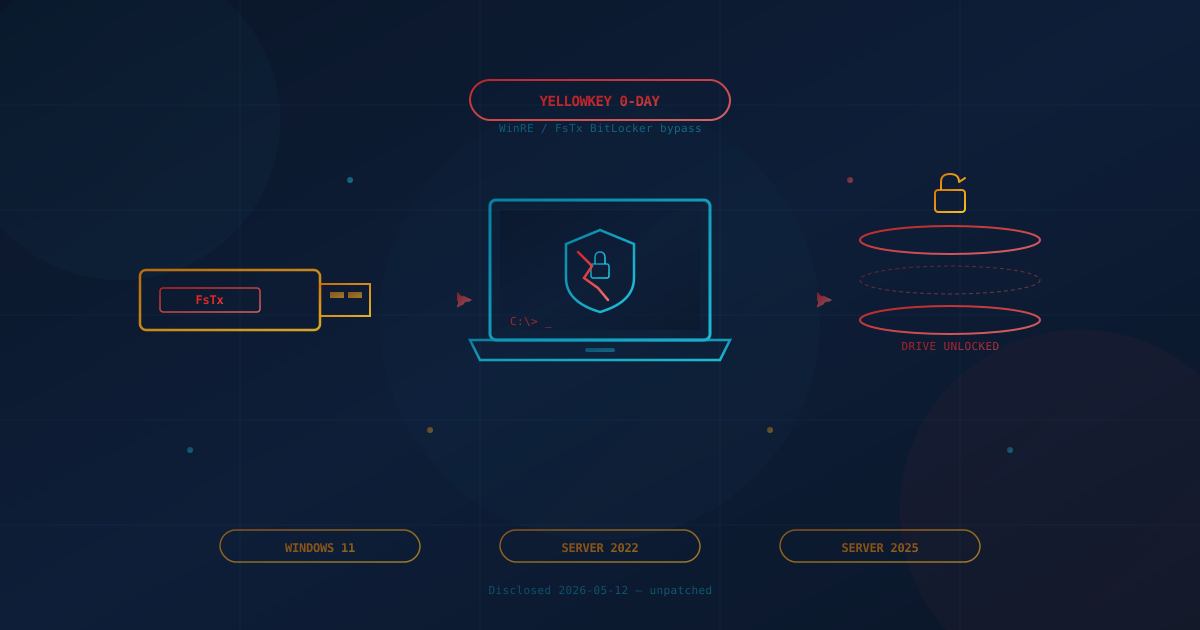
A researcher operating under the alias Nightmare-Eclipse (also seen as Chaotic Eclipse) published a working proof-of-concept on May 12, 2026 that defeats Windows BitLocker drive encryption on Windows 11 and Windows Server 2025. The exploit, dubbed YellowKey, needs only physical access to the device and a USB stick. No recovery key. No password. No expensive hardware.
The attack abuses a code path inside the Windows Recovery Environment (WinRE) that replays NTFS log data from a folder called FsTx on an attached drive. When WinRE replays those logs it deletes the file that would normally lock down the recovery shell, and the next reboot drops the attacker into a command prompt with the BitLocker-protected drive already mounted and readable.
What Is the YellowKey BitLocker Zero-Day?
YellowKey is a Windows BitLocker bypass disclosed on May 12, 2026 that allows an attacker with brief physical access to a Windows 11 or Windows Server 2025 device to read everything on the encrypted drive. Microsoft released a fix in the June 9, 2026 security update. The technique exploits the way WinRE processes a specially named folder, System Volume Information\FsTx, on attached storage. Windows 10 is not affected.
How the attack works, in plain English
The researcher's published steps are short enough to fit on a napkin:
- Copy a prepared
FsTxfolder onto a USB stick — or write it directly to the device's EFI partition if the laptop is in the attacker's hands. - Plug the USB stick into the target Windows machine and reboot into the Windows Recovery Environment (for example, by holding Shift while clicking Restart, or by interrupting a few boot attempts).
- Hold the Ctrl key during recovery. Instead of the locked recovery menu, the system drops to a
cmd.exeshell with the BitLocker-protected volume already unlocked.
From that shell the attacker can copy files, install persistent malware, plant credentials, or image the drive. Independent reporting from BleepingComputer and SecurityWeek confirms the proof-of-concept works against the default BitLocker configuration that ships on most business laptops.
The researcher thinks it looks like a backdoor
In the public README on the YellowKey GitHub repository, the discoverer writes that the vulnerable WinRE component is present in Windows 11 and Server 2022/2025 but ships in a stripped-down form in Windows 10. They describe the finding as "one of the most insane discoveries I ever found, almost feels like backdoor," and say they "can't come up with an explanation beside the fact that this was intentional." That is the researcher's interpretation, not a verified claim, and Microsoft has not responded publicly as of this writing.
Who Is Actually at Risk?
The realistic risk population is narrower than the headlines suggest, but it is exactly the population most SMBs need to worry about: any business that hands employees a Windows 11 laptop that can be lost, stolen, or left unattended in a hotel, an airport, a co-working space, or a customer site.
- Affected operating systems: Windows 11 (versions 24H2, 25H2, and 26H1) and Windows Server 2025. Windows 10 devices are not affected.
- Required access: Brief physical possession of the device or its EFI partition. A laptop left on a desk overnight, a courier-shipped device opened in transit, or a stolen machine all qualify.
- Required skill: Low. The exploit ships as files to copy onto a USB stick and a handful of keypresses. It does not require kernel-level expertise.
- Network exposure: None. This is not a remote attack. Firewalls, VPNs, and email filters do not help.
For a Toronto law firm with associates carrying client files on company laptops, a Calgary engineering firm with site-deployed workstations, a Dallas medical practice with portable workstations on carts, or a Seattle startup whose founders travel weekly — the threat model just shifted. Encrypted-disk-equals-safe was already an imperfect assumption. It is now demonstrably wrong on the most common Microsoft endpoint in the enterprise.
Does BitLocker With a Pre-Boot PIN Protect You?
Microsoft's CVE-2026-45585 advisory confirms that TPM+PIN configurations are not exploitable by the public proof-of-concept. The June 2026 security update addresses the underlying vulnerability. Organizations should install the update, restart affected devices, and enable TPM+PIN as additional hardening.
The publicly released YellowKey tool targeted the default BitLocker configuration most Windows 11 business laptops ship with: TPM-only, no pre-boot authentication, transparent unlock on boot. Adding a pre-boot PIN (the "TPM + PIN" or "TPM + Startup PIN" setting in Group Policy) requires a user-entered secret before the operating system loads, which blocks the public PoC because the exploit relies on automatic unlock before WinRE is reachable.
Microsoft's own BitLocker documentation has long recommended pre-boot authentication (TPM+PIN, TPM+Startup Key, or TPM+PIN+Startup Key) for high-value endpoints precisely because TPM-only mode trusts the boot process to decide when to release the key. YellowKey is a reminder that "the boot process" includes the recovery environment, and that recovery environment is reachable from a USB stick.
The defensible posture: install the June 2026 or later cumulative update, restart the device, and enable TPM+PIN on Windows 11 laptops that hold sensitive data as additional hardening.
Why This One Is Different From a Normal Zero-Day
Most of the zero-days we have written about — the Chrome zero-days in March, the Outlook preview-pane bug, the long parade of Exchange and SharePoint vulnerabilities — share a shape. An attacker, somewhere on the internet, sends a payload. Defenders patch fast, segment networks, and tighten email filters.
YellowKey breaks that shape in three ways:
- The attacker has to be in the room. That sounds like good news. It is not, for an SMB with laptops on the road. Physical-access threats include lost devices, hotel-room access, courier interception, repair-shop handling, and the unattended-laptop-at-the-coffee-shop scenario that every awareness training warns about.
- The bug lives below the operating system. The vulnerable code path is in the recovery environment, not in a user-mode application. That makes it harder to mitigate with the endpoint detection and response tools most businesses rely on. EDR does not get to vote when the OS itself has not finished booting.
- The disclosure was uncoordinated. Microsoft learned about the flaw from the public release, and had to issue mitigation guidance before the patch was ready. As we noted in our piece on how quickly modern vulnerabilities get weaponized, the window between disclosure and adversary use is measured in hours now, not weeks. Microsoft shipped the fix in the June 9, 2026 security update.
The deeper pattern, and the reason this matters beyond YellowKey itself: full-disk encryption has been the foundational answer to "what happens if a laptop goes missing" for more than a decade. We have said it ourselves. A flaw that turns a USB stick into a master key on the default Windows 11 configuration is the kind of finding that forces a rethink of that one-line assumption.
What Canadian and US Business Leaders Should Take From This
You do not need to understand WinRE to ask the right questions. If you run a small or mid-sized business in Canada or the US and your team uses Windows 11 laptops, here are the questions to put to your IT lead or managed-services provider this week:
- How many of our Windows 11 and Windows Server 2025 devices have the June 2026 or later cumulative update installed? Devices still running earlier builds remain vulnerable until patched and restarted.
- How many of our Windows 11 devices are running BitLocker in TPM-only mode, meaning no pre-boot PIN is required? TPM+PIN remains recommended as additional hardening.
- What is our process for a lost or stolen laptop today? Do we assume the disk is unreadable, and if so, on what basis?
- Are our laptops configured to boot from USB by default, and is the firmware (BIOS/UEFI) password-protected? Disabling USB boot and locking the firmware menu is a separate control that materially reduces the attack surface here.
- Is the Windows Recovery Environment enabled on devices that do not need it? On endpoints where end-user recovery is centralized,
reagentc /disableremoves one of the conditions the YellowKey exploit relies on. This is an operational decision with trade-offs, not a universal recommendation. - If a device disappears, do we have the workflow to remotely revoke credentials, rotate keys, and assume the data is exposed? Identity-side response should not depend on whether the disk is encrypted.
These questions are not about YellowKey specifically. They are the questions a disciplined SMB security program should already have answers to, and YellowKey is a clear, dated reason to confirm those answers in writing this month. They are also the controls cyber insurers verify at renewal.
Canadian businesses can frame this work against the CCCS Baseline Cyber Security Controls, which explicitly call for full-disk encryption and physical-access protections. US-based readers can map the same controls to CISA's Cyber Essentials, NIST SP 800-171 (3.1 and 3.13 families), or the FTC Safeguards Rule's requirement to encrypt customer information in transit and at rest. The frameworks differ; the operational question does not.
Practical Next Steps
- Install the June 2026 or later cumulative update on all Windows 11 and Windows Server 2025 devices. Verify the update is installed and the device has been restarted. The patch does not take effect until the restart is complete.
- Inventory Windows 11 and Server 2025 devices. You cannot patch what you have not counted. Pay particular attention to laptops that leave the office.
- Enable BitLocker pre-boot authentication (TPM+PIN) on high-risk laptops. Microsoft documents the steps under Group Policy at
Computer Configuration → Administrative Templates → Windows Components → BitLocker Drive Encryption → Operating System Drives → Require additional authentication at startup. This provides additional hardening beyond the patch. - Set a BIOS/UEFI administrator password and disable boot from USB on devices where the workflow does not require it. This blocks the simplest version of the YellowKey delivery.
- Review whether WinRE is needed on managed endpoints. If recovery is handled centrally (re-imaging, Intune Autopilot reset, MDM-driven reinstall), disabling WinRE on production devices removes one of the conditions the exploit relies on. Document the trade-off with your IT lead.
- Refresh your lost-device playbook. For any device that was running an unpatched build during the May to June 2026 exposure window, consider whether credentials cached on the device should be rotated. Our note on incident response planning before something happens covers the broader shape of that workflow.
- If you are not sure where to start, consider a free quick security assessment. Twenty questions, five minutes, and a written read on whether your laptop and patching posture is realistic for the threats you actually face.
The Durable Lesson
Encryption is a control, not a guarantee. BitLocker in TPM-only mode is the default on most Windows 11 business laptops because it is invisible to the user: the drive unlocks transparently when the device boots, and that is convenient. YellowKey is a reminder that "invisible to the user" can also mean "invisible to the attacker." The threat model for a lost or stolen laptop is no longer "the disk is encrypted, we are fine"; it is "the disk is encrypted, patched, and our identity and key-management posture had better be solid as well."
The businesses that come through this calmly will be the ones that already treat physical-device security, identity, and patching as one system rather than three. The ones that get hurt will be the ones who assumed a single check-box — "BitLocker on" — was enough.
This article is intended for general informational purposes only and does not constitute professional security, legal, or compliance advice. Details about YellowKey and GreenPlasma are based on public disclosures, the researcher's GitHub repository, Microsoft advisories, and independent reporting. This article was originally published May 14, 2026 and updated October 8, 2026 to reflect the June 2026 security update that addresses CVE-2026-45585 and CVE-2026-45586. Organizations should consult qualified cybersecurity professionals before changing BitLocker, WinRE, or firmware configuration on production endpoints.