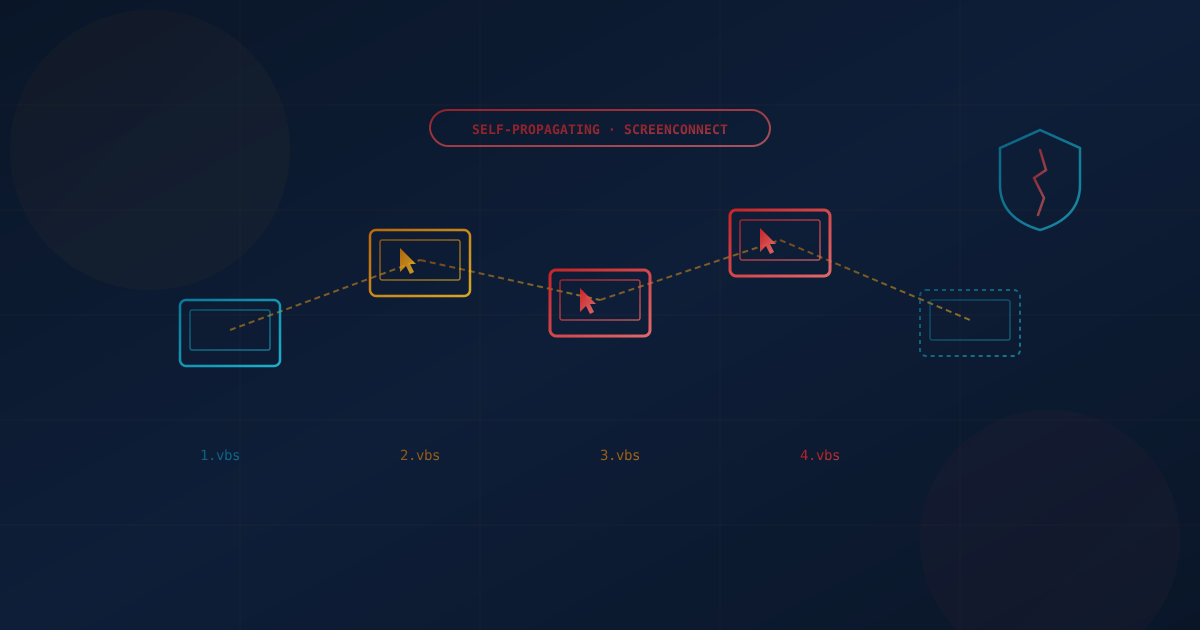
Security researchers at Huntress disclosed in early September 2026 a worm-like attack chain that spreads through ConnectWise ScreenConnect, a legitimate remote-access and remote monitoring and management (RMM) tool. Three separate incidents, each starting from a different lure — a fake tech-support call using Microsoft Quick Assist, a phishing email carrying a malicious MSI installer, and a bogus "Geek Squad refund form" — all converged on the same outcome: a rogue ScreenConnect client that silently pushes a four-stage VBScript chain to every new machine it connects to.
That last part is what makes this notable. Once one machine is compromised, the malicious ScreenConnect client automatically infects the next machine it remotely connects to, and no further phishing or social engineering is required for the spread to continue. It is a worm riding on top of a tool that almost every business either uses or trusts by default.
This isn't an isolated event. ScreenConnect keeps turning up in incident after incident — in ransomware intrusions by groups including Black Basta, LockBit, and Play going back to 2024, and now in this self-propagating campaign. Cyber Unit has seen the same pattern in the field: legitimate remote-access software, not exotic malware, is increasingly how attackers get in and move around.
What Happened
Huntress identified the activity in August 2026 across three unrelated victim environments. Each started differently: one victim ran Quick Assist after being convinced by a fake tech-support caller their computer was compromised; another downloaded what they believed was a Geek Squad refund form; a third opened a phishing email carrying a malicious MSI installer. All three paths led to the same four-stage VBScript chain:
- 1.vbs profiles the host — checks available memory, whether ScreenConnect is already installed, and enumerates installed security products, including Cisco AMP, CrowdStrike, Huntress, Malwarebytes, SentinelOne, Sophos, and Symantec Endpoint Protection. It writes the results to a temp file as a coded status flag.
- 2.vbs checks that status flag for an "abort" signal, then downloads and decodes a second-stage payload from Dropbox if none is found.
- 3.vbs and 4.vbs stage additional payloads and hand off to PowerShell, which deletes the staging artifacts, attempts a User Account Control (UAC) bypass, and installs a hidden ScreenConnect client configured to continuously watch for newly connected hosts and push the same four-stage chain to them.
When conditions are right — no existing ScreenConnect install, only Microsoft Defender present as endpoint protection, and no other ScreenConnect client already on the box — the payload goes further: it disables Defender's reporting, turns off Windows memory integrity protection, and drops an XMRig cryptocurrency miner. Persistence is set through a Run key named WindowsServiceHost, pointing to a script of the same name in the user's AppData folder — a specific, checkable indicator worth handing to your IT team or MSP today.
Who Was Actually at Risk
Any organization that uses ScreenConnect, or any similar RMM tool, for legitimate IT support is in the blast radius — not because the software itself is flawed here, but because the attack specifically targets environments where a remote-access tool is already trusted, whitelisted, and running. Small and mid-sized businesses that rely on an MSP for day-to-day support are a particularly relevant audience, precisely because ScreenConnect (or a tool like it) is likely already installed, already excluded from some security scanning, and already normal enough that a second, rogue instance can hide in plain sight.
The malware's own reconnaissance script names Huntress, CrowdStrike, SentinelOne, and Sophos among the products it checks for — a reminder that attackers are actively profiling which endpoint detection tools a target runs before deciding how loud to be. An SMB running no EDR at all, or only built-in antivirus, is the softer target this specific campaign is built to succeed against.
Why ScreenConnect, Specifically
ScreenConnect is not the first RMM tool to show up repeatedly in intrusions, and it won't be the last. Attackers gravitate toward tools like it for reasons that have nothing to do with any single vulnerability:
- It's already trusted. RMM software is frequently allowlisted by antivirus and EDR products, because IT teams and MSPs need it to function without triggering constant alerts. A malicious instance can inherit that trust.
- It's digitally signed and "looks legitimate." A ScreenConnect installer doesn't read as malware to most scanners or most employees — it reads as a support tool, especially when the lure (Quick Assist, a refund form) already primes the victim to expect one.
- It gives full remote control, not just a foothold. Unlike a narrow exploit, a working RMM session hands an attacker screen access, file transfer, and command execution — everything needed to move laterally, disable defenses, and deploy ransomware.
- It blends into normal MSP traffic. Businesses that legitimately use remote-access tools for support create exactly the kind of network noise a rogue instance can hide inside.
This is a documented pattern, not a one-off theory. CISA, the FBI, and MS-ISAC issued a joint advisory in 2023 — updated again in 2025 — warning that threat actors are increasingly abusing legitimate RMM software to gain persistent access, specifically because it lets them "live off the land" using tools defenders already expect to see. ScreenConnect vulnerabilities were exploited by Black Basta, Bl00dy, LockBit, and Play ransomware operators as far back as February 2024. Cyber Unit has watched this same category of tool — legitimate, signed, widely deployed remote software — surface again and again across incidents since, which is exactly why it deserves its own line item in your security controls rather than a blind allowlist entry.
How to Detect It
Detection has to work at two levels: spotting the malware behavior, and spotting unauthorized RMM usage generally, since the same detection gaps this campaign exploits will keep being exploited by the next one.
- Hunt for the specific indicators from this campaign: a
WindowsServiceHostRun key pointing to a script in AppData, temp files namedvalue.txtormap.txt, and outbound connections to Dropbox from scripting hosts (wscript.exe,cscript.exe) rather than a browser. - Inventory every ScreenConnect (or other RMM) instance you actually authorized. A second, unexplained ScreenConnect instance ID or relay server on a machine is one of the clearest signs of this exact attack.
- Alert on RMM installers arriving outside your normal deployment process. If your MSP pushes ScreenConnect through a managed installer, any ScreenConnect MSI or EXE arriving via email, browser download, or Quick Assist session is anomalous by definition.
- Watch for Quick Assist and other remote-support tools used reactively by an employee, rather than initiated by your own help desk — that reversal is the single biggest tell in the social-engineering lures behind this campaign.
- Monitor for security-product tampering, specifically Defender reporting being silently disabled or memory integrity being turned off, both used in this campaign's final stage.
- Use an EDR product with behavioral detection, not signature-only antivirus. The scripts in this campaign are novel enough that signature matching alone is unlikely to catch them; our comparison of next-generation EDR versus traditional antivirus covers why that distinction matters here specifically.
What Businesses Should Do: Control the Tool, Not Just the Malware
Patching this specific campaign doesn't fix the underlying exposure. The durable fix is treating every RMM tool as a privileged, tightly governed piece of infrastructure — whether you use ScreenConnect, another vendor's tool, or several.
- Maintain an authorized RMM allowlist and block everything else at the endpoint. Use application control (allowlisting) so that only your MSP's specific, known ScreenConnect installation — identified by its installer hash, instance ID, or relay domain — is permitted to run. Any other RMM binary, including a second copy of a tool you already trust, should be blocked by default, not merely flagged.
- Block unsanctioned RMM domains at the firewall. Most businesses only need outbound access to their own MSP's specific ScreenConnect (or equivalent) relay server. Block the broader category of consumer and unmanaged remote-access domains — ScreenConnect's own hosted instances, AnyDesk, and similar tools — unless a specific one is on your approved list. Note this cuts both ways: it also blocks a rogue instance of your own approved vendor's software from calling out to an attacker-controlled relay.
- Restrict who can initiate Quick Assist and similar built-in remote tools. These should be reserved for sessions your own help desk initiates, not something an employee opens because a caller told them to.
- Require MFA and session logging on every RMM tool. If your remote-access platform supports it, enforce multi-factor authentication for technician logins and keep an audit log of every session, so an unauthorized connection is visible after the fact even if it isn't caught in real time.
- Vet your MSP's own RMM governance. If you use a managed provider, ask directly how they prevent exactly this scenario — an attacker standing up a second, unauthorized instance of the same tool your provider already uses. Our guide on choosing a managed IT or cybersecurity provider and our explainer on the difference between an MSP and an MSSP both cover the questions worth asking here.
- Build an incident response plan that assumes lateral spread. Because this specific threat propagates machine-to-machine automatically, a response plan that isolates one infected device without checking every machine it connected to will miss the rest of the chain. Our guide on building an incident response plan before something happens covers that containment step.
- Get a baseline read on your exposure. Our free quick security assessment takes about five minutes and flags gaps in endpoint control and remote-access governance alongside the rest of your security posture.
Provider infrastructure keeps showing up in attacks. In October 2026, Huntress reported attackers exploiting AhsayCBS, a backup management console popular with MSPs, to plant webshells and cryptominers on backup servers. Our AhsayCBS backup server attack coverage includes the question to ask your IT provider.
The Durable Lesson
The malware in this campaign isn't sophisticated — VBScript and a Dropbox link are about as low-tech as attack tooling gets in 2026. What makes it effective is that it wears a legitimate, trusted tool as camouflage, the same way supply-chain attacks weaponize software you already trust. ScreenConnect is not uniquely dangerous software; it is a widely deployed one, which makes it a durable target. The businesses that avoid becoming the next incident on this list are the ones that stop treating "it's just our remote support tool" as a reason to skip scrutiny, and start treating every RMM installation — including their own approved one — as infrastructure worth allowlisting, monitoring, and auditing on purpose.
This article is intended for general informational purposes only and does not constitute professional security, legal, or compliance advice. Details about this ScreenConnect-based campaign are based on public reporting and researcher disclosures as of the date of publication and may evolve as the investigation continues. Organizations should consult qualified cybersecurity professionals before acting on any specific indicator of compromise or making operational changes based on this article.