
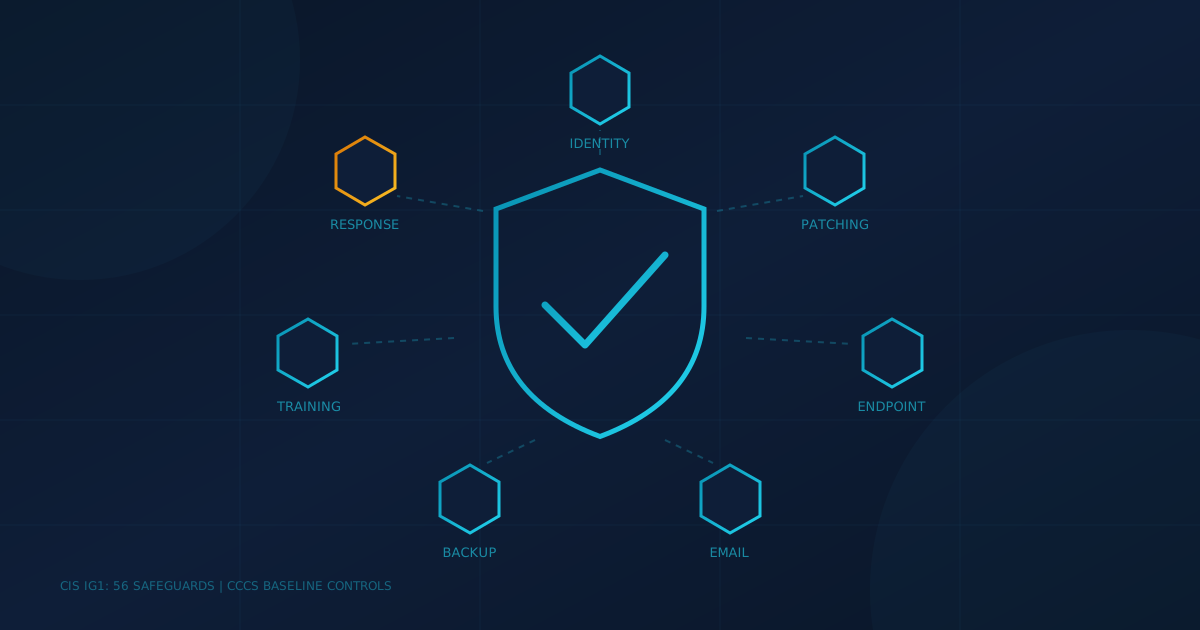
IT security services for a small business should cover a short list of jobs: protecting accounts, keeping software patched, detecting attacks on devices, filtering email, backing up data, training staff, and responding when something gets through. The Center for Internet Security (CIS) calls the starting set "essential cyber hygiene" and lists 56 safeguards in it. Anything a provider sells you should map back to those basics.
That matters because "IT security" on a proposal can mean almost anything, from antivirus on every laptop to a full security operations team. This guide breaks the term into the services a business in Canada or the US should expect, what each one is for, and what to get in writing.
What do IT security services include for a small business?
A complete set of IT security services covers identity, devices, email, data and people, plus someone to respond when an alert fires. Two free frameworks describe nearly the same baseline: CIS Implementation Group 1 in the US, and the Canadian Centre for Cyber Security's baseline cyber security controls for small and medium organizations in Canada.
- Identity and access: multifactor authentication (MFA) on email and remote access, separate admin accounts, and regular reviews of who still has access.
- Patching: operating systems, browsers, and business applications updated on a schedule, with urgent fixes applied faster.
- Endpoint protection: anti-malware plus endpoint detection and response (EDR) on every laptop and server.
- Email security: filtering for phishing and malicious attachments, plus email authentication records.
- Backups: copies that are tested, and that an attacker with a stolen admin password cannot delete.
- Training: short, regular awareness training and phishing simulations for staff.
- Monitoring and response: someone who reviews alerts and acts on them, and a plan for what happens next.
Our small business cybersecurity checklist goes deeper on each item if you want to audit what you have today.
Which services stop the most common attacks?
Account protection, patching and backups do the most work, because they map to how small businesses actually get breached. Verizon's 2025 Data Breach Investigations Report found credential abuse (22%) and exploitation of vulnerabilities (20%) were the leading ways in, and that ransomware was present in 88% of breaches at small and mid-sized businesses, compared with 39% at larger organizations.
That pattern suggests an order of priority. MFA and access reviews address stolen credentials. Patching addresses exploited vulnerabilities. Tested, protected backups decide whether a ransomware attack is a bad week or a business-ending event. If a proposal leads with advanced tools but cannot show these three are covered, ask why.
Access reviews are easy to skip. Our article on who can still reach your systems cites research from Beyond Identity finding that roughly a quarter of former employees can still access at least one account from a previous employer.
How are IT security services different from regular IT support?
IT support keeps things running. IT security services focus on stopping and responding to attacks. The Canadian Centre for Cyber Security's guide ITSM.10.023 draws the line plainly: "An MSP offers information technology (IT) administration, whereas the MSSP takes care of cyber security." It also notes that some MSPs offer endpoint, network and cloud security services, so the label alone does not tell you what is included.
The gap usually shows up in monitoring. An IT provider may install EDR and still not have anyone reviewing its alerts at night. Our post on the difference between an MSP and an MSSP explains why that distinction decides whether you have someone watching for threats or just someone who fixes the printer.
Do you need 24/7 monitoring?
If an attack on a Saturday night would go unnoticed until Monday, the honest answer is probably yes. CrowdStrike's 2025 Global Threat Report put the average eCrime breakout time, the time attackers take to move from the first compromised computer to another, at 48 minutes in 2024. The fastest it recorded was 51 seconds.
Small businesses rarely staff this themselves. In Statistics Canada's 2023 survey of Canadian businesses, the most common reason for not having cyber security employees was that the business used consultants or contractors to monitor cyber security (47%). In the CCCS guide, "providing 24/7 SOCs to validate and send alerts on potential security threats" appears in its list of benefits of working with a managed security provider. Monitoring is the service, but response is the point: ask what the provider will actually do when it sees something.
What should be in writing before you sign?
Get the covered systems, response times and response authority in the contract, not the sales deck. ITSM.10.023 suggests asking for an example service level agreement and reviewing it "in terms of speed of detection, alerting, and resolution," and asking how the provider protects your data, where it stores logs, and whether it offers emergency incident response after an intrusion.
- Scope: which devices, accounts, and cloud services are covered, by name.
- Response time: a committed time to acknowledge and act on a serious alert, including nights and weekends.
- Authority: what the provider can do without calling you, such as isolating a laptop or disabling an account.
- Data: where logs and backups are stored and who at the provider can reach them.
- After an incident: whether investigation and recovery help is included or billed separately.
Outsourcing does not move the risk off your books. The US Cybersecurity and Infrastructure Security Agency (CISA) notes in its risk considerations for MSP customers that outsourcing IT "does not absolve an organization from risk management responsibilities." The CCCS guide makes the same point for Canada: the organization remains legally responsible for protecting its data.
What should US and Canadian business owners ask next?
The services are the same on both sides of the border. What changes is who asks about them: cyber insurers in both countries, US clients working under frameworks like the FTC Safeguards Rule, and Canadian clients pointing to the CCCS baseline. Our guide to what cyber insurers check before quoting shows how closely underwriting questions track this list.
The question to put to your IT lead or provider is simple: "For each of these seven areas, who is responsible, and how would I know it is working?" If any answer is "we assumed it was included," that is your starting point. For a quick read on where your business stands, our free cybersecurity assessment covers 22 security areas in under five minutes.
This article is intended for general informational purposes only and does not constitute professional security, legal, or compliance advice. Statistics and framework details are based on public reports and government guidance available as of the date of publication and may change. Organizations should consult qualified cybersecurity professionals before selecting services or making operational changes based on this article.