
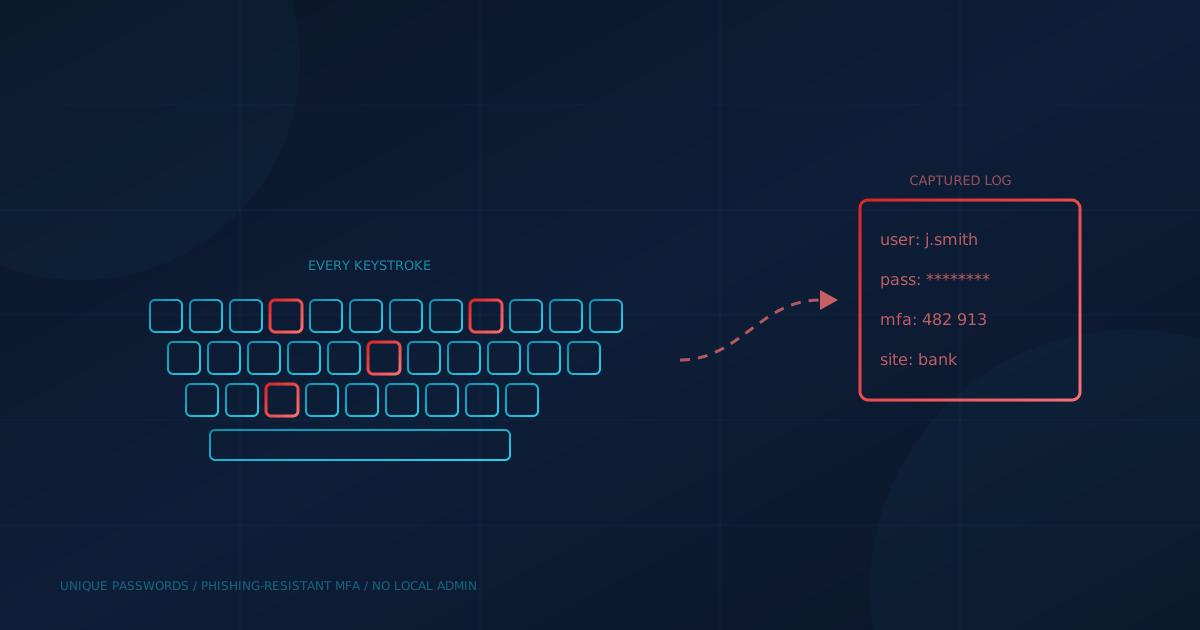
Keylogger spyware records what a person types and hands it to an attacker. The Canadian Centre for Cyber Security's glossary defines a keystroke logger as "software or hardware designed to capture a user's keystrokes on a compromised system," with the keystrokes "stored or transmitted so that they may be used to collect valued information." In a business, the most valuable thing an employee types is usually a password.
Keyloggers are old technology, but they are still packaged into the commodity malware that criminals buy and spread through phishing. This guide explains how they work, how they get onto business computers in Canada and the US, and which controls limit the damage when one does.
What is keylogger spyware?
Keylogger spyware is malicious software, or occasionally a physical device, that captures keystrokes and sends them to someone else. NIST's Guide to Malware Incident Prevention and Handling (SP 800-83) says a keystroke logger "monitors and records keyboard use," and that some "actively transfer the data to another host through email, file transfer, or other means." The Cyber Centre's 2026 malware guidance lists keyloggers as a common type of spyware.
That same Cyber Centre publication, Protect your organization from malware (ITSAP.00.057), says keyloggers "capture and record keystrokes so threat actors can obtain sensitive information such as passwords, personal data or financial information." Our explainer on what spyware is covers the wider family, which can capture passwords, keystrokes, browsing habits and search keywords.
Software or hardware: what is the difference?
Most keyloggers are software. CISA's guidance on spyware says both hardware and software keyloggers exist, that hardware devices "usually slip inline between the keyboard cable and computer," and that their main limitation is "the need for physical access to install and retrieve the device." CISA calls the software keylogger the more common alternative, and the type found in spyware.
The same CISA document notes that software keyloggers "can turn their capture on or off based on keywords or events," and that many focus on email, web browsers and messaging apps rather than everything typed. The Cyber Centre's older bulletin on keyloggers and spyware (ITSB-49) describes variants that go further: recording websites visited, capturing all email sent or received, taking screenshots at regular intervals, and hiding from antivirus scanners.
Why do attackers still use keyloggers?
Because stolen logins work. MITRE ATT&CK, the public catalogue of attacker techniques, says adversaries log user keystrokes "to intercept credentials as the user types them," and calls keylogging the most prevalent type of input capture. Verizon's 2025 Data Breach Investigations Report found credential abuse was the leading initial attack vector, at 22% of breaches.
Keylogging is also built into malware that criminals can buy cheaply. CISA's advisory on the top malware strains of 2021 lists Agent Tesla, Formbook and Remcos, says Formbook "is capable of key logging," and says criminals used these three in mass phishing campaigns "to steal personal data and credentials from businesses and individuals." MITRE records that Agent Tesla "can log keystrokes" and that Remcos "has a command for keylogging." CISA adds that the developers of Remcos and Agent Tesla have marketed them as legitimate tools.
How does a keylogger get onto a business computer?
The same way most malware does: someone opens, installs or plugs in the wrong thing. ITSAP.00.057 lists malicious email attachments, software from untrusted sources, unauthorized browser extensions and unscanned USB drives among the common entry points. NIST SP 800-83 notes that some phishing attacks "install keystroke loggers," and ITSB-49 describes keyloggers installed through email attachments and drive-by downloads from compromised websites.
There is a second, quieter route. ITSB-49 points out that keyloggers began as administrative and diagnostic tools and that many are sold as commercial software anyone can download. That makes them an insider risk as well as an outside one, and it is a reason to control who can install software on company devices.
What are the warning signs?
There may be none, which is why prevention matters more than detection. ITSAP.00.057 lists signs of an infected device that include unknown programs running, antivirus being disabled, high network traffic when the device is idle, and unusual login activity or unauthorized password changes on your accounts. But ITSB-49 warns that more advanced keyloggers use stealth techniques specifically to hide from antivirus and anti-spyware scanners.
That makes the account-level signs on the Cyber Centre's list, unusual login activity and unauthorized password changes, especially important. They may show up before anything looks wrong on the device, so make sure someone is actually reviewing sign-in alerts.
Which controls limit the damage?
The goal is to make a captured password useless and to make installation hard. ITSAP.00.057 recommends passkeys or phishing-resistant MFA, a password manager that generates and stores long, unique passwords, least-privilege access, prompt updates, endpoint detection and response (EDR) tools, and application allowlisting so only authorized apps can run. ITSB-49 makes the same point about privilege: spyware "usually relies on a user operating with Administrative privileges."
- Require MFA everywhere it is offered. The Cyber Centre's multi-factor authentication guidance (ITSAP.30.030) says the password factor "can be easily compromised," which is why it recommends adding another factor.
- Prefer phishing-resistant methods. A one-time code typed on an infected computer can be captured too. Our guide to phishing-resistant authentication explains why methods that do not rely on a shared secret, such as hardware keys and passkeys, hold up better.
- Use unique passwords. ITSAP.30.030 describes credential stuffing, where attackers try stolen credentials on other services hoping they were reused. A password manager with a unique password per account limits a captured password to one account.
- Remove local admin rights from everyday accounts, and limit who can install software and browser extensions.
- Run EDR and keep systems patched, so the malware that delivers keyloggers has fewer ways in.
Remember that modern credential theft does not stop at keystrokes. Our post on token theft explains how infostealers take session cookies that let attackers skip both the password and the MFA prompt, which is why revoking sessions matters after any infection.
What should you do if you suspect a keylogger?
Treat every password typed on that device as stolen. ITSAP.00.057 says to contact your IT provider immediately, disconnect the device from all networks, and stop using it to sign in to email, financial systems or admin portals. It then recommends offline antivirus scans, restoring only from known clean backups, and resetting passwords, revoking active sign-in sessions and tokens, and re-enrolling MFA. ITSB-49 likewise recommends offline scanning, because stealthy keyloggers can hide from scanners that run inside an infected system.
Do the password resets from a clean device, not the suspect one. Start with email, banking and any administrator accounts, because those give an attacker the most reach.
What should US and Canadian business owners ask next?
The guidance from CISA and the Canadian Centre for Cyber Security points the same way on both sides of the border: assume a password can be captured, and make sure a password alone is never enough. The question to put to your IT lead or provider is: "If an employee's laptop had a keylogger for a week, which of our accounts could an attacker open with what they captured?" To see how your access controls and endpoint protection compare with the rest of your security, take our free cybersecurity assessment. It covers 22 security areas in under five minutes.
This article is intended for general informational purposes only and does not constitute professional security, legal, or compliance advice. Descriptions of keylogger behaviour and recommended controls are based on public guidance from CISA, NIST, MITRE and the Canadian Centre for Cyber Security available as of the date of publication. Organizations should consult qualified cybersecurity professionals before acting on a suspected infection or making operational changes based on this article.