
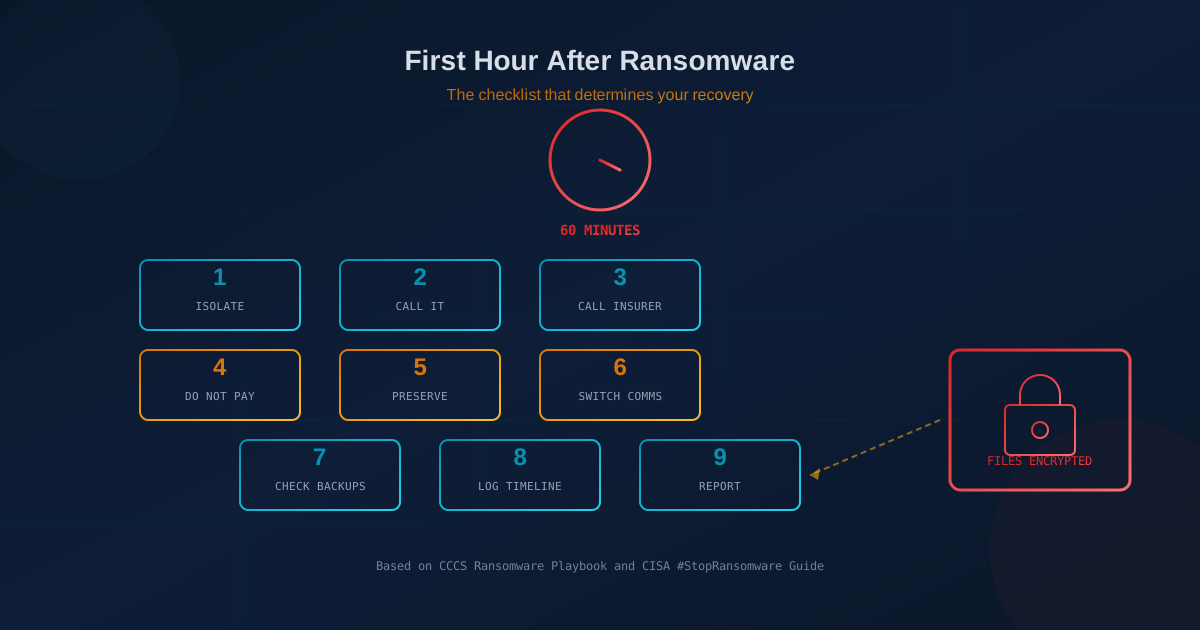
If ransomware has just hit your business, the next 60 minutes are critical. The steps you take, or skip, in the first hour determine whether you contain the attack to a few machines or watch it spread across your entire network. Both the Canadian Centre for Cyber Security's Ransomware Playbook and the CISA #StopRansomware Guide emphasize the same point: immediate isolation and a clear chain of calls are what separate recoverable incidents from catastrophic ones.
This is not a strategy document. It is a checklist for the moment you see a ransom note on a screen or realize files are being encrypted. Print it. Share it with your team. The time to read it is now, not when you are in crisis mode.
What should you do in the first hour after a ransomware attack?
The following steps are drawn from the CCCS Ransomware Playbook (ITSM.00.099) and the CISA #StopRansomware Guide. Every step is supported by one or both sources. Complete them in order.
- Isolate affected devices from the network immediately. Unplug the Ethernet cable or disable Wi-Fi on every machine showing signs of infection. Do not power off the machines: memory contains forensic evidence that disappears on shutdown. The goal is to stop the ransomware from spreading to file shares, backup systems, and other connected devices. If you have network segmentation, isolate the affected segment.
- Call your IT provider or incident response team. If you have a managed service provider, managed security provider, or internal IT lead, this is the first call. They can help assess the scope, begin containment, and coordinate technical response. If you do not have an IT provider, this is the gap the attack just exposed.
- Call your cyber insurer's breach hotline. Most cyber insurance policies include access to a breach coach and incident response panel. Call the hotline number on your policy before you call anyone else externally. The insurer can coordinate legal, forensic, and communications support, and acting without their guidance can affect coverage. If you are unsure what your policy covers, see our overview of what cyber insurance covers.
- Do not pay the ransom or contact the attackers. Both the CCCS and CISA advise against paying. Payment does not guarantee recovery, funds criminal operations, and may invite repeat attacks. According to Coalition's 2026 Cyber Claims Report, a record 86% of affected businesses refused to pay in 2025, largely because they had viable backups. Let your incident response team and insurer guide any communication with threat actors.
- Preserve evidence. Take photos of ransom notes displayed on screens. Do not delete any files, including the ransom note itself. Avoid "cleaning" infected machines until forensic preservation is complete. Evidence is essential for law enforcement, insurance claims, and understanding how the attackers got in.
- Switch to out-of-band communication. If attackers compromised your network, they may be monitoring your email. Use phone calls, text messages, or a separate messaging platform not connected to your corporate systems for incident coordination. The CCCS playbook specifically notes that threat actors "actively monitor the organization's communications and planned recovery actions."
- Verify that offline backups are untouched. Before you begin any recovery, confirm that your backup copies are intact and have not been encrypted. Modern ransomware specifically targets connected backup systems. If your backups are online-only, they may already be compromised. Offline or immutable backups are the primary reason businesses can refuse to pay. For guidance on backup architecture, see how to ransom-proof your backups.
- Start a timeline. Document what happened and when: when the first signs appeared, which systems are affected, what actions have been taken, and by whom. This log supports forensic investigation, regulatory reporting, and insurance claims. A shared document or even a notebook works.
- Report to authorities. In Canada, report to the Canadian Centre for Cyber Security, the Canadian Anti-Fraud Centre, and your local police. In the United States, report to the FBI's Internet Crime Complaint Center (IC3) and CISA. Early reporting enables law enforcement to track threat actors and, in some cases, provide decryption keys or recovery assistance.
Should you pay the ransom?
The CCCS and CISA both recommend against paying. The reasons are practical, not just principled. Payment does not guarantee the attackers will provide a working decryption key. Even if they do, decryption is often slow and incomplete. Paying marks your organization as willing to pay, which makes you a target for future attacks. And funds sent to ransomware operators finance further criminal activity.
The data supports this position. Coalition's 2026 Cyber Claims Report found that 86% of policyholders affected by ransomware in 2025 refused to pay, the highest rate on record. The primary reason: they had tested backups and an incident response plan. Businesses that can restore from backup without paying have leverage. Those without viable backups face a much harder decision.
Do you have to report a ransomware attack?
In most cases, yes. Ransomware incidents often involve unauthorized access to personal information, which triggers breach notification obligations.
In Canada, PIPEDA requires organizations to report breaches involving a "real risk of significant harm" to the Office of the Privacy Commissioner and to notify affected individuals. Ransomware attacks typically meet this threshold when personal data is accessed or exfiltrated. Organizations must also keep records of all breaches for 24 months. For a detailed breakdown of notification requirements, see our guide to data breach notification laws.
In the United States, all 50 states have breach notification laws with varying deadlines and thresholds. Reporting requirements depend on where affected individuals reside, not where your business is headquartered. If the ransomware attack involved data theft (increasingly common in double-extortion attacks), notification to regulators and affected individuals is almost certainly required.
What happens in the first 24 to 72 hours?
After the first hour, the focus shifts from containment to assessment and recovery. This phase typically involves:
- Scope assessment: Your IT team or incident response provider identifies which systems and data are affected, how the attackers gained access, and whether they are still present in the network.
- Forensic preservation: Before any recovery begins, evidence is captured for law enforcement and insurance purposes.
- Eradication: The attacker's access is removed, compromised credentials are reset, and entry points are closed.
- Recovery planning: Decisions are made about whether to restore from backup, rebuild systems, or a combination. Recovery order is prioritized based on business criticality.
- Communication: Internal stakeholders, employees, customers, regulators, and potentially media are notified according to your incident response plan and legal obligations.
The CCCS Ransomware Playbook emphasizes that recovery is not just technical: "Organizations should evaluate the incident, identify lessons learned, and enhance security measures to prevent future incidents."
What should you prepare now so the first hour goes better?
The businesses that handle ransomware well are the ones that prepared before it happened. The following items are the difference between a contained incident and a crisis:
- Tested, offline backups. The single most important control. If your backups are online-only or untested, they may fail when you need them. See how to ransom-proof your backups.
- A written incident response plan. Name who calls whom, who makes decisions, and how you reach your IT provider and insurer outside business hours. See incident response planning before something happens.
- Cyber insurance with a breach hotline. Know your policy number and the breach hotline phone number before you need them. See what cyber insurers check before quoting.
- Contact information for IT, legal, and management. Store these offline or in a location not dependent on your corporate network.
- Employee awareness. Staff should know to report suspicious behavior immediately and not to click links or open attachments from unexpected sources.
- A professional security assessment. An expert-led review across 22 security areas identifies gaps in your defenses before an attacker does. The resulting report shows where to invest next.
One question to ask your IT lead this week
If ransomware hit at 2 AM on a Saturday, who isolates the machines, and how fast?
If the answer is unclear, if it depends on who happens to be awake, or if no one has tested the process, that is the gap to close before an attack forces the question. A 30-minute conversation now is cheaper than a six-figure recovery later.
If you are unsure where your business stands on backup readiness, incident response, or the controls that prevent ransomware in the first place, our free cybersecurity assessment takes about five minutes and covers the areas that matter most.
This article is intended for general informational purposes only and does not constitute professional security, legal, or compliance advice. The steps described are based on the Canadian Centre for Cyber Security's Ransomware Playbook (ITSM.00.099) and the CISA #StopRansomware Guide as of the date of publication and may evolve as guidance is updated. Organizations should consult qualified cybersecurity professionals before acting on any specific recommendation or making operational changes based on this article.