
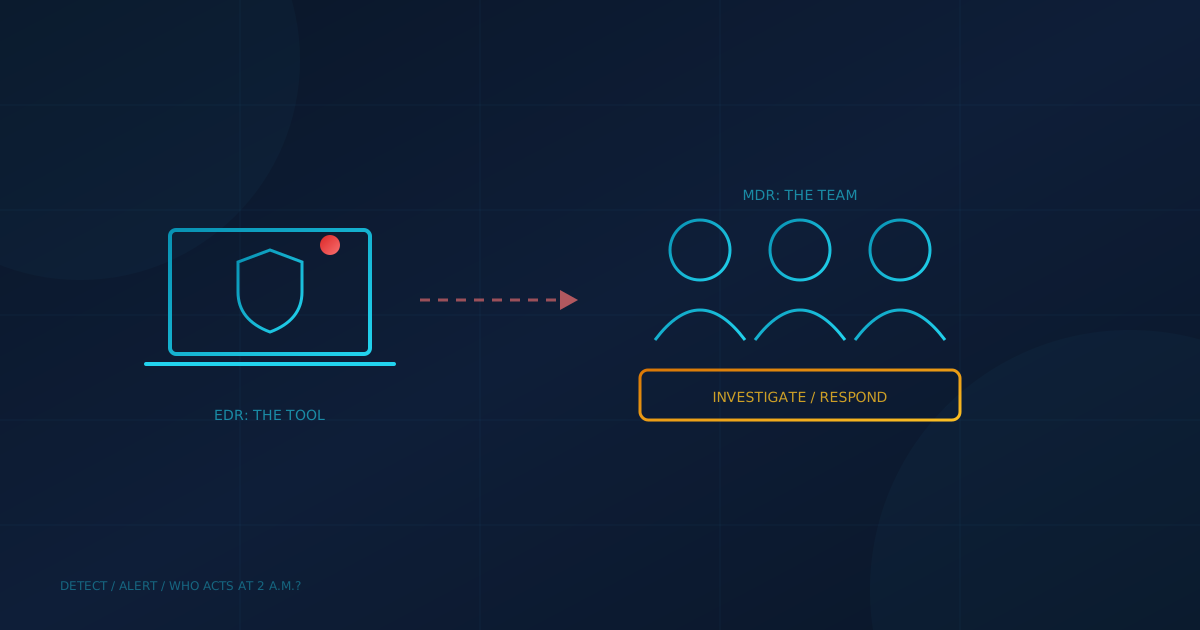
EDR vs MDR comes down to a tool versus a team. Endpoint detection and response (EDR) is software on each laptop and server that records activity, spots behaviour that looks like an attack and lets someone isolate the device. Managed detection and response (MDR) is a service in which a provider's analysts watch those alerts, investigate them and respond. The Canadian Centre for Cyber Security's guide ITSM.10.023 describes MDR as "monitoring, detecting, alerting, and managing response to potential attacks on your system."
The difference matters because the two are often sold together and described loosely. A business in Canada or the US can own excellent EDR software and still have nobody reading the alerts it generates. This guide explains what each one does, where they overlap, and how to decide which you need.
What is EDR?
EDR is endpoint security software that goes beyond blocking known malware. It continuously records what happens on a device, flags suspicious behaviour, and gives an administrator tools to investigate and contain it, such as cutting a laptop off the network. US and Canadian agencies both recommend it. CISA's #StopRansomware Guide advises using "application allowlisting and/or endpoint detection and response (EDR) solutions on all assets."
ITSM.10.023 gives the same advice for Canadian organizations: install anti-virus, anti-malware and EDR software on your devices to thwart malicious attacks. EDR is the modern successor to traditional antivirus, which our post on next-generation vs traditional antivirus compares in more detail.
What EDR does not do on its own is decide. It raises alerts, some of them false alarms, and it needs a person to judge which ones matter and act on them.
What is MDR?
MDR is EDR plus people. A provider runs a security operations centre (SOC) where analysts review the alerts from your devices, investigate the real ones and respond, often around the clock. ITSM.10.023 lists MDR among the services a managed security service provider (MSSP) can offer, alongside continuous device and system monitoring, and notes that an MSSP "establishes one or more security operations centers (SOCs)" to monitor and protect its customers' infrastructure.
Response is the key word. Depending on what you authorize, an MDR provider can isolate a compromised laptop, stop a malicious process or disable an account without waiting for you to answer the phone. Our guide to choosing a managed IT and cybersecurity provider puts 24/7 monitoring by human analysts, with defined response times documented in service level agreements, near the top of the list.
EDR vs MDR: how do they compare side by side?
The simplest way to compare them is by who does the work. With EDR alone, your team or IT provider owns the alerts. With MDR, a dedicated security team does.
- What it is: EDR is software. MDR is a service that usually includes EDR software.
- Who watches alerts: with EDR, whoever you assign. With MDR, the provider's analysts.
- Coverage hours: EDR detects around the clock, but response depends on your staff. ITSM.10.023 notes that organizations often turn to a managed security provider when they need security monitoring outside normal operating hours.
- Investigation: EDR gives you the data. MDR analysts investigate and explain what happened.
- Cost: EDR is licensed per device. MDR adds the cost of the analysts.
Why does response speed decide the question?
Attackers move quickly once they are inside. CrowdStrike's 2025 Global Threat Report put the average eCrime breakout time, the time to move from an initially compromised host to another inside the organization, at 48 minutes in 2024, with the fastest at 51 seconds. An alert that sits unread over a weekend gives an attacker days, not minutes.
Small businesses feel the impact hardest. Verizon's 2025 Data Breach Investigations Report announcement quotes IDC's Craig Robinson noting that ransomware was present in 88% of breaches at smaller organizations. Our article on the shrinking window between disclosure and exploitation shows why waiting for business hours is a growing risk.
Which does a small business need?
Every business with laptops and servers benefits from EDR, and the agency guidance above treats it as a baseline. MDR is the answer to a different question: who will act on an alert at 2 a.m.? If you have an internal security person or an IT provider who actively monitors and responds after hours, EDR alone may be enough. If not, MDR fills that gap.
A practical way to decide:
- Check what you have: is it traditional antivirus, EDR or an MDR service? Ask your IT provider for the product and the service in writing.
- Ask who gets the alerts: a named person or team, and their hours.
- Ask what they may do without calling you: isolating a laptop at 3 a.m. only helps if someone is authorized to do it.
- Check what happens after containment: investigation and recovery may be included or billed separately.
Neither replaces a plan. Our post on incident response planning covers who decides, who calls whom, and what happens in the first hours, which you need whichever option you choose.
What should US and Canadian business owners ask next?
The terminology is the same on both sides of the border, and so is the gap: software that detects an attack is only half the job. The question to put to your IT lead or provider is: "When our endpoint software raises a serious alert on a Saturday night, who sees it, and how long until they act?" To see how your endpoint protection compares with the rest of your security, take our free cybersecurity assessment. It covers 22 security areas in under five minutes.
This article is intended for general informational purposes only and does not constitute professional security, legal, or procurement advice. Definitions and statistics are based on public government guidance and industry reports available as of the date of publication, and provider services vary. Organizations should consult qualified cybersecurity professionals before selecting security tools or services based on this article.