For millions of developers, IT professionals, and everyday users, Notepad++ has been a trusted tool for decades. Free, lightweight, and reliable—the kind of software you install once and forget about.
That trust was exploited for six months.
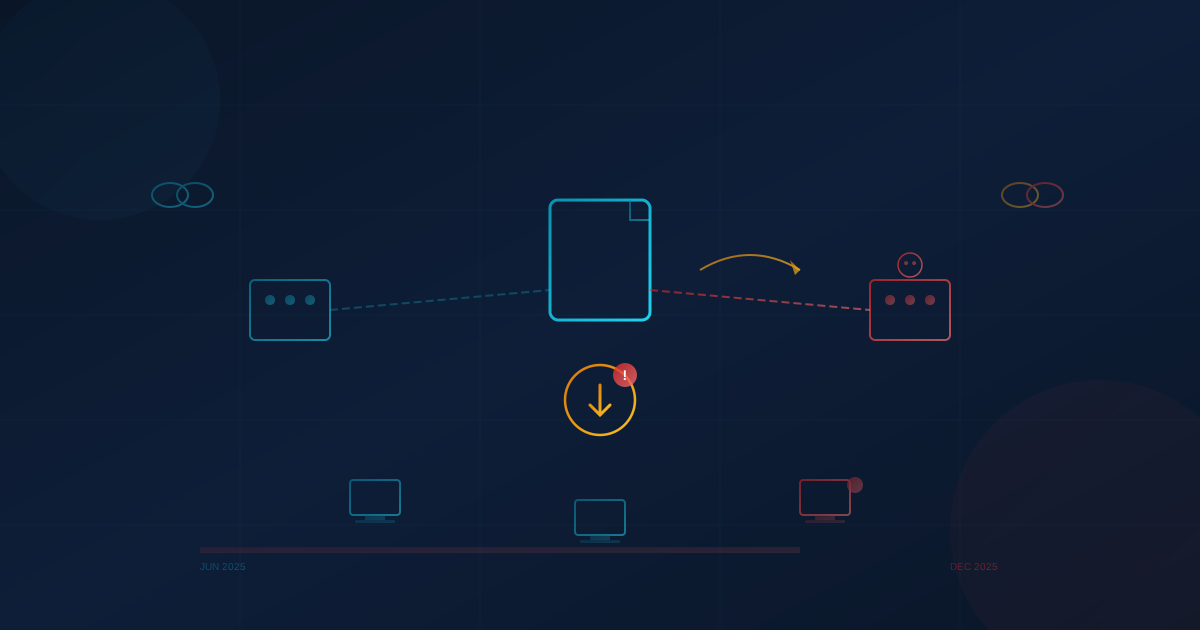
Between June and December 2025, state-sponsored attackers compromised the Notepad++ update infrastructure, redirecting some users to malicious servers that delivered compromised executables instead of legitimate updates. The incident wasn't discovered until security researchers noticed unusual behavior: the updater spawning unexpected processes, collecting system information, and uploading data to anonymous file-sharing services.
For organizations that rely on free tools without formal vendor relationships, this incident is a case study in why software governance matters—even for utilities that seem too simple to pose a risk.
What Happened
The compromise occurred at the infrastructure level. Attackers gained access to systems at Notepad++'s hosting provider, allowing them to intercept and redirect traffic intended for the legitimate update server. When users ran the built-in updater (WinGUp), their requests were occasionally routed to attacker-controlled servers that served malicious installers.
The attack was highly targeted. According to security researcher Kevin Beaumont, victims were primarily telecom and financial services organizations in East Asia. The attackers engaged in hands-on-keyboard reconnaissance—mapping networks, identifying running processes, and exfiltrating system details to external servers.
Multiple independent researchers have assessed the threat actor as likely a Chinese state-sponsored group, which would explain the selective targeting rather than mass exploitation.
The timeline is significant:
- June 2025: Compromise begins
- September 2, 2025: Attackers lose direct server access
- September - December 2025: Attackers retain credentials to internal services, maintaining ability to redirect some traffic
- November 18, 2025: Notepad++ v8.8.8 released, restricting updates to GitHub only
- December 2, 2025: All attacker access definitively terminated
- December 9, 2025: Notepad++ v8.8.9 released with certificate verification
For six months, an unknown number of users who attempted to update Notepad++ may have received malicious software instead.
How the Attack Was Discovered
A community user noticed something unusual: GUP.exe (Notepad++'s updater) spawned an unexpected AutoUpdater.exe file in the Temp folder. Instead of fetching a routine patch, the program executed commands to enumerate network connections, system details, running processes, and the current user—saving the results to a text file.
The executable then used curl to upload that file to temp.sh, an anonymous file-sharing service previously observed in malware campaigns.
This is exactly the kind of reconnaissance activity that precedes deeper network compromise. We've discussed similar attack patterns in our coverage of evolving cyber threats and reducing attack surface.
What You Should Do If You Use Notepad++
If you or your organization uses Notepad++, immediate action is warranted:
Update to version 8.8.9 or later immediately. Because version 8.8.8 cannot detect the latest release automatically, you must manually download the update from the official website or GitHub. The newer versions include certificate verification that prevents installation of unsigned updates.
Run comprehensive security scans. If you used an older version and attempted updates between June and December 2025, your system may have been compromised. Perform thorough scans with robust security software. In severe cases, a full system reinstall may be the only reliable remedy.
Check for suspicious activity. Look for signs that gup.exe made network requests to domains other than notepad-plus-plus.org, or spawned unusual processes. Review system logs for unexpected reconnaissance commands.
Remove old custom root certificates. Prior versions required users to install custom root certificates. These should be removed, as all official binaries since v8.8.7 are signed with valid certificates.
Treat any unusual update behavior as a potential compromise. If you observed unexpected prompts, files, or behavior during updates, assume the worst and investigate accordingly.
The Broader Lesson: Free Doesn't Mean Risk-Free
Notepad++ is excellent software. It's been a staple of developer toolkits for over two decades. But this incident highlights a fundamental tension in how organizations approach utility software.
Free tools often lack:
- Formal security commitments: No SLA, no guaranteed response times, no contractual obligations around security practices
- Enterprise support channels: When something goes wrong, there's no vendor to call
- Proactive security notifications: Users may not learn about compromises until they read the news
- Audit trails and compliance documentation: For regulated industries, this creates gaps in vendor risk management
This isn't an argument against open-source or free software—much of it is excellent and well-maintained. But it is an argument for treating all software, regardless of cost, as part of your security perimeter.
Commercial alternatives to tools like Notepad++ often include enterprise features specifically designed to address these gaps: centralized deployment, automatic updates through managed channels, vendor security certifications, and support agreements with defined response times.
The question organizations should ask isn't "is this tool free?" but "what happens when something goes wrong with this tool, and do we have a plan?"
Supply Chain Attacks Are Accelerating
The Notepad++ incident isn't isolated. Supply chain attacks have become one of the most significant threat vectors facing organizations:
- Software supply chain attacks more than doubled globally during 2025
- Roughly 30% of all data breaches are now linked to third-party or supply chain issues
- Over 70% of organizations reported experiencing at least one supply chain-related security incident
- Global losses from software supply chain attacks are projected to reach $60 billion by year-end
OWASP's 2025 Top 10 ranked Software Supply Chain Failures as the #1 concern in their community survey, with 50% of respondents placing it at the top of their risk list.
Attackers have recognized that compromising a single widely-used tool or library can provide access to thousands of downstream organizations. It's more efficient than attacking each target individually.
We explored related dynamics in our article on the SolarWinds breach. The pattern is consistent: trusted software becomes the attack vector.
The Patching Problem
One statistic from recent research stands out: 23.6% of Known Exploited Vulnerabilities were exploited on or before the day their CVEs were publicly disclosed. Attackers move fast. Organizations often don't.
Many businesses still treat patching as a monthly or quarterly task under change control, leaving systems exposed for weeks or months after vulnerabilities become known. When those systems include software without formal vendor relationships—tools downloaded from the internet and installed without oversight—the exposure compounds.
Effective vulnerability management requires:
- Visibility: Knowing what software is installed across your environment, including utilities and free tools
- Prioritization: With over 40,000 CVEs published in 2024 alone, not everything can be patched immediately. Risk-based prioritization is essential
- Speed: For actively exploited vulnerabilities, days matter. Monthly patch cycles aren't sufficient
- Scope: Third-party software, dependencies, and transitive dependencies all need tracking
This is where formal governance and professional support make a difference. Ad-hoc patching of individually-installed tools doesn't scale.
Questions for Your Organization
The Notepad++ incident is an opportunity to examine your own software governance:
- Do you have visibility into what software employees have installed, including free utilities?
- How would you know if a commonly-used tool was compromised?
- Do you have a process for tracking security advisories for software without formal vendor relationships?
- How quickly can you push updates or remove compromised software across your environment?
- For tools that touch code, credentials, or sensitive data, are you relying on free options that lack enterprise security features?
- Does your incident response plan account for supply chain compromises where the "trusted" software is the threat?
The organizations that handle incidents like this well aren't necessarily the ones with the biggest security budgets. They're the ones that have thought through these questions before the incident occurs.
Moving Forward
The Notepad++ maintainers have responded appropriately. The software has been hardened, the hosting infrastructure has been migrated, and certificate verification now prevents installation of unsigned updates. Credit is due for transparent communication about what happened and when.
But for organizations, the lesson extends beyond one tool. Every piece of software in your environment—purchased or free, enterprise or utility—is part of your attack surface. Managing that surface requires knowing what's installed, understanding the risks, and having processes to respond when those risks materialize.
Third-party risk management, vulnerability tracking, and patch management aren't just compliance checkboxes. They're operational capabilities that determine how quickly you can respond when trusted software turns out to be compromised.
If your organization needs help building these capabilities—from software inventory and vulnerability management to incident response planning—that's exactly the kind of challenge we help businesses address.
This article is intended for informational purposes only and does not constitute professional security, legal, or compliance advice. Organizations should consult with qualified professionals to assess their specific situation and develop appropriate security policies.