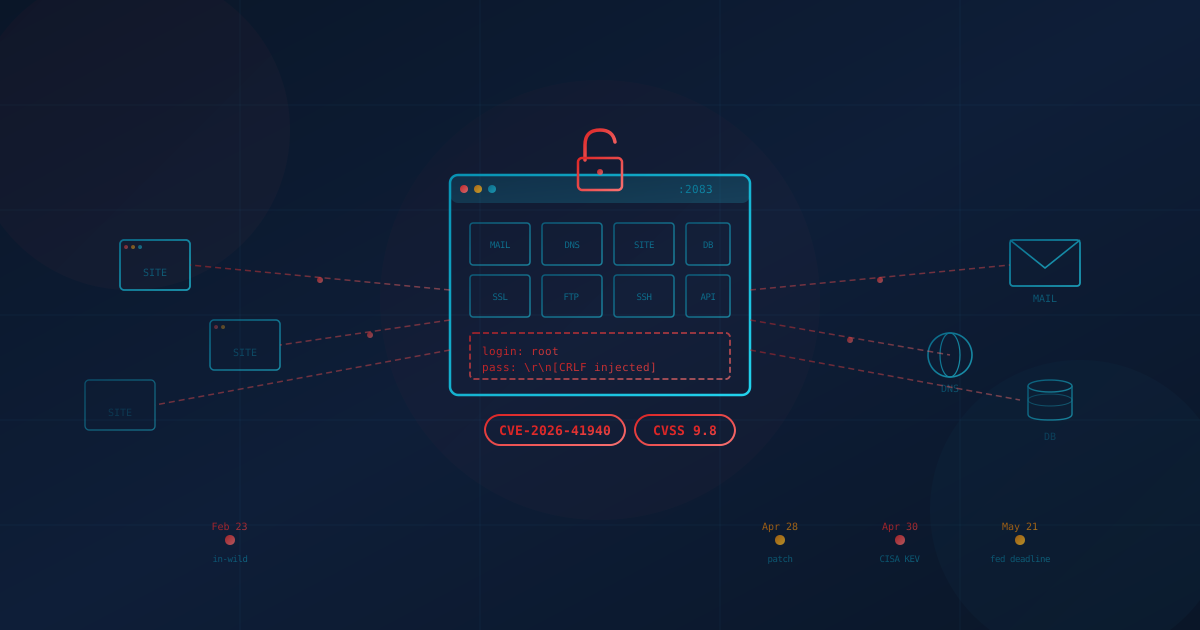
A critical vulnerability in cPanel and WHM—the control panels that quietly run a large share of the world's small business websites, mail servers, and DNS records—lets an unauthenticated attacker take full administrative control of the host with a single sequence of HTTP requests. No password. No phishing. No malware on the user's side. Just a flaw in how the login page handles a specially crafted cookie.
The bug, tracked as CVE-2026-41940, carries a CVSS score of 9.8 out of 10. Security firm watchTowr, which published the technical analysis on April 28, 2026, estimates cPanel is deployed on infrastructure serving roughly 70 million domains, with about 1.5 million cPanel instances exposed directly to the public internet according to Rapid7's Shodan scans. KnownHost, a managed cPanel provider, confirmed in-the-wild exploitation, and the U.S. Cybersecurity and Infrastructure Security Agency (CISA) added the flaw to its Known Exploited Vulnerabilities (KEV) catalog two days later, on April 30, 2026.
The harder problem for most business owners: many do not know whether cPanel is involved in their stack at all. It is rarely customer-facing. It often sits behind a "shared hosting" plan purchased years ago, a domain registrar's email add-on, or a legacy site built by a long-departed contractor. This post explains what the vulnerability is, who is actually at risk, how to check, and the practical moves Canadian and US business leaders should consider—both to fix the immediate issue and to reduce dependence on this category of single-point failure going forward.
What Is the cPanel CVE-2026-41940 Vulnerability?
CVE-2026-41940 is a pre-authentication remote authentication bypass affecting cPanel, WebHost Manager (WHM), and WP Squared. An unauthenticated attacker who can reach the cPanel or WHM login page over HTTPS—typically TCP ports 2083 or 2087—can promote themselves into a privileged session and gain full root-level control of the server. Once in, they have the keys to every website, database, mailbox, and DNS zone the panel manages.
The technical mechanism is a chain of three issues. The login handler fails to strip carriage-return / line-feed (CRLF) characters from a header value, letting an attacker inject extra fields into the session file written to disk. A malformed cookie causes the encryption layer that would normally protect that session to be skipped. And a quirk in how cPanel re-reads cached sessions then "promotes" the injected unauthenticated session into an authenticated one. Researcher Sina Kheirkhah at watchTowr Labs published the original root-cause analysis and a working proof-of-concept exploit alongside the disclosure.
WebPros, the company that owns cPanel, released emergency patches the same day. The fixed builds are:
- 11.86.0.41 (86.0.x line)
- 11.110.0.97 (110.0.x line)
- 11.118.0.63 (118.0.x line)
- 11.126.0.54 (126.0.x line)
- 11.130.0.19 (130.0.x line)
- 11.132.0.29 (132.0.x line)
- 11.134.0.20 (134.0.x line)
- 11.136.0.5 (136.0.x line)
Per the vendor advisory, every cPanel and WHM build released after version 11.40 is affected unless it is at or above the patched build for its line. WP Squared (the WordPress hosting management panel built on cPanel) is also covered by the same fix.
Who Is Actually at Risk?
Any business whose website, email, or DNS sits on a server running an unpatched cPanel or WHM instance is exposed. That is a much broader population than most owners realise. cPanel is the default control panel on most low-cost shared hosting plans sold by Bluehost, HostGator, GoDaddy's cPanel-tier plans, Namecheap, SiteGround, A2 Hosting, InMotion, KnownHost, HostPapa, and dozens of regional providers in Canada and the United States. If a site was set up before 2022 and the owner cannot name the platform, cPanel is a reasonable first guess.
The risk is also not limited to "the website." A single cPanel server typically bundles four roles that businesses have learned to treat as separate concerns:
- The public website — WordPress, Joomla, a static brochure site, or a small e-commerce store.
- Mail server — IMAP, POP3, SMTP, and webmail for the company's domain. A surprising number of small businesses still receive their main inbox through cPanel rather than Microsoft 365 or Google Workspace.
- DNS — the records that point the domain at the website and route email. If cPanel manages DNS, an attacker can silently redirect traffic and intercept email by changing MX records.
- Databases and file storage — customer records, contact form submissions, and any uploaded documents.
An attacker with root on the cPanel host can read or alter all of it. That includes mailbox contents, saved passwords, API tokens, SSL private keys, SSH keys, FTP credentials, and database dumps. Because exploitation has been observed since at least February 23, 2026, organisations on affected versions should not assume they are safe simply because nothing has obviously broken—the flaw was exploited as a zero-day for roughly two months before the patch.
Why cPanel Is Such a High-Value Target
Three properties make cPanel disproportionately attractive to attackers. It is widely deployed, the blast radius of a single compromised host is enormous, and the management interface is publicly exposed by design. Unlike an internal Active Directory server or a backup appliance, cPanel needs to be reachable from the open internet so customers and resellers can log in. That combination—ubiquity, high impact, and unavoidable internet exposure—is why every cPanel disclosure draws immediate, large-scale exploitation.
It is also a multi-tenant platform. A single shared server can host hundreds or thousands of customer accounts. A successful root compromise of one server is, in effect, a compromise of every business on that server. We saw a similar dynamic in our analysis of the Dell RecoverPoint hardcoded credential flaw and the broader WordPress plugin ecosystem problem: tools that sit one layer below where most security teams look tend to be where sophisticated attackers establish long-term footholds.
The 64-day exploitation window before the public patch is not unusual for this category of bug. It is, however, a useful reminder that "we patched the day it came out" is not the same as "we were never exposed." Organisations that handle sensitive customer data should plan their response on the assumption that a previously unpatched cPanel server may have been touched.
How to Check If Your Business Uses cPanel
Most small businesses can determine cPanel exposure in under fifteen minutes. Work through the checks below in order.
Step 1: Look for the Login Pages
In a browser, try visiting https://yourdomain.com:2083 (cPanel) and https://yourdomain.com:2087 (WHM). If a login page loads with the cPanel logo, the panel is internet-exposed at your domain. Webmail at :2096 and :2095 are the equivalent mail-only ports. A "connection refused" or timeout does not necessarily mean cPanel is absent—some hosts gate the login behind their own portal—but a successful login page is a clear yes.
Step 2: Check Your Hosting Bill
Search your accounting records and email for the names of the providers listed earlier. Any "shared hosting," "reseller hosting," or "cPanel hosting" line item is almost certainly cPanel-based. "WordPress hosting" plans from these same providers are usually cPanel underneath as well.
Step 3: Ask Your IT Lead, MSP, or Web Developer Three Questions
- Are any of our websites, mail servers, or DNS zones running on cPanel or WHM?
- If yes, what version are we on, and has CVE-2026-41940 been patched? (The patched builds are listed above; the underlying version is visible via
/usr/local/cpanel/cpanel -Von the server.) - Has the provider run cPanel's published detection script and confirmed no signs of compromise in
/var/cpanel/sessions/raw/?
For businesses on a managed hosting plan, the correct expectation is that the provider has already patched and has a written statement available. KnownHost, Namecheap, HostPapa, InMotion, hosting.com, and most other major managed-cPanel providers deployed the fix within hours of the April 28 disclosure. If a provider cannot confirm the patch in writing, treat that as its own warning sign.
Signs Your cPanel Server May Have Been Compromised
If a cPanel server was running an unpatched build any time after February 23, 2026, an integrity review is the appropriate next step. cPanel has published a detection script that scans session files for the artefacts left behind by this specific exploit—injected authentication timestamps, pre-authentication sessions carrying authenticated attributes, and password fields containing embedded newlines. Run the script. Anything flagged "CRITICAL" or "WARNING" is a confirmed compromise indicator and should trigger incident response, not further triage in isolation.
Beyond the script, useful signals include:
- Unexpected WHM users, reseller accounts, or API tokens.
- SSH keys in
~/.ssh/authorized_keysthat no current administrator placed there. - Unfamiliar cron jobs, especially under root or under cPanel hook directories.
- Recently modified files under
/etc/,/usr/local/cpanel/, or root's~/.bashrc. - cpsrvd access logs showing 401 responses on
/login/?login_only=1immediately followed by an authenticated request from the same source IP. - Unexplained DNS changes—new MX records, new TXT records, or an A record pointing to an unfamiliar IP—on any zone the panel manages.
If any of these turn up, plan as if the server's secrets are public: rotate every password and API token, replace SSL and SSH keys, force-reset email passwords for every mailbox on the server, and audit for persistence. Our piece on incident response planning before something happens covers the framing for that conversation.
What Canadian and US Business Leaders Should Take From This
The immediate action for any cPanel-dependent business is to confirm the patch and check for compromise. The longer-term takeaway is that bundling website hosting, business email, and DNS onto a single low-cost shared platform creates a single point of failure that, when it fails, fails comprehensively. Under both the CCCS Baseline Cyber Security Controls in Canada and the FTC Safeguards Rule and NIST SP 800-171 in the United States, regulators increasingly expect organisations to understand where their critical services live and to apply patches within defined windows. A "we just have a website with our hosting company" answer no longer fits that expectation.
For most small and mid-sized businesses, the more durable fix is to separate the four roles cPanel typically bundles. This is not about abandoning cPanel for ideological reasons—plenty of well-run hosting companies operate it competently. It is about not letting one vendor's bad week become every part of the business's bad week.
Move Email to a Dedicated Identity Platform
If business email still runs on cPanel, plan a migration to Microsoft 365 or Google Workspace. Both platforms include enterprise-grade spam filtering, mailbox encryption at rest, multi-factor authentication, mobile device management, and audit logging that no shared cPanel mail server can match. The migration cost is modest; the security and compliance gain is substantial. Our overview of why email security matters for SMBs explains the wider context.
Move DNS to a Reputable Specialist Provider
DNS is a critical control plane—whoever runs your DNS effectively decides where your email and website traffic actually go. Move zones to a provider that runs DNS as a primary product: Cloudflare, Amazon Route 53 (AWS), Azure DNS, or GoDaddy's DNS service are all reasonable choices. Configure registrar-lock and DNSSEC where supported, and store the registrar credentials in a password manager with multi-factor authentication.
Consider a Managed Website Platform
For brochure sites, marketing sites, and small-to-mid e-commerce, managed platforms such as Webflow, Squarespace, Wix, and Shopify remove the entire patch-management problem from the customer. The platform vendor patches the underlying stack; the customer manages content. For sites that genuinely need WordPress, managed-WordPress hosts (WP Engine, Kinsta, Pressable, WordPress.com Business) provide a similar separation. The trade-off is less raw flexibility; the upside is no 64-day zero-day windows where you are personally responsible for server-level compromise.
If You Stay on cPanel, Treat Patching as a First-Class Process
Plenty of businesses have legitimate reasons to remain on cPanel—custom applications, reseller arrangements, specific compliance constraints. For those organisations, the answer is to formalise patch management rather than rely on the hosting provider's defaults. Confirm in writing how quickly your provider applies cPanel security releases, subscribe to cPanel's security advisory mailing list, and run the next vulnerability disclosure as a tabletop exercise. Our piece on regular software updates and patch management covers the operational rhythm.
Practical Next Steps
Working through this list in order will close the immediate exposure and reduce the impact of the next disclosure:
- Identify cPanel exposure today. Check the login ports, your hosting bills, and ask your provider or IT lead directly.
- Confirm the patch is applied. The fixed builds are listed in the section above. If self-hosting, run
/usr/local/cpanel/cpanel -V. If using a managed host, get the answer in writing. - Run cPanel's detection script on any server that ran an unpatched version after February 23, 2026, and treat any CRITICAL or WARNING result as an incident.
- If compromise is suspected: rotate all passwords, API tokens, SSL keys, and SSH keys; force-reset every mailbox password; audit DNS records and registrar settings; and review user accounts and cron jobs for persistence.
- Plan an email migration to Microsoft 365 or Google Workspace if business mail still runs on cPanel.
- Plan a DNS migration to Cloudflare, Route 53, Azure DNS, or GoDaddy if cPanel currently holds your zones, and enable registrar-lock and DNSSEC where available.
- Evaluate a managed website platform (Webflow, Squarespace, Wix, Shopify, or managed WordPress) for sites where the security overhead of running your own stack is no longer justified.
- Take a free 5-minute security assessment to see where else single-point-of-failure infrastructure may be hiding in your environment.
The Durable Lesson
cPanel CVE-2026-41940 is, on its own, a fixable problem. Apply the patch, verify integrity, rotate secrets where compromise is plausible, and move on. The lesson worth carrying forward is the one underneath it: any vendor whose product simultaneously holds your website, your email, your DNS, and your customer database is, by definition, a single point of failure for the business. The internet's plumbing has been quietly consolidating into a small number of these critical control planes for years, and each disclosure—Log4j, MOVEit, the Dell RecoverPoint hardcoded credentials, now cPanel—is a reminder to know which ones you actually depend on, and to make sure no one of them can take the whole business down at once.
This article is intended for general informational purposes only and does not constitute professional security, legal, or compliance advice. Details about CVE-2026-41940 are based on public reporting from watchTowr Labs, WebPros, CISA, KnownHost, Rapid7, and reputable security outlets as of the date of publication and may evolve as the investigation continues. Organisations should consult qualified cybersecurity professionals before acting on any specific indicator of compromise or making operational changes based on this article.