It started with a calendar notification.
One of our clients recently noticed a Zoom webinar appearing on their Google Calendar—one they had never signed up for. The event looked surprisingly legitimate: a professional-sounding topic, a Zoom link, and even a free gift incentive for attending. The strangest part? Their calendar showed them as the creator of the event.
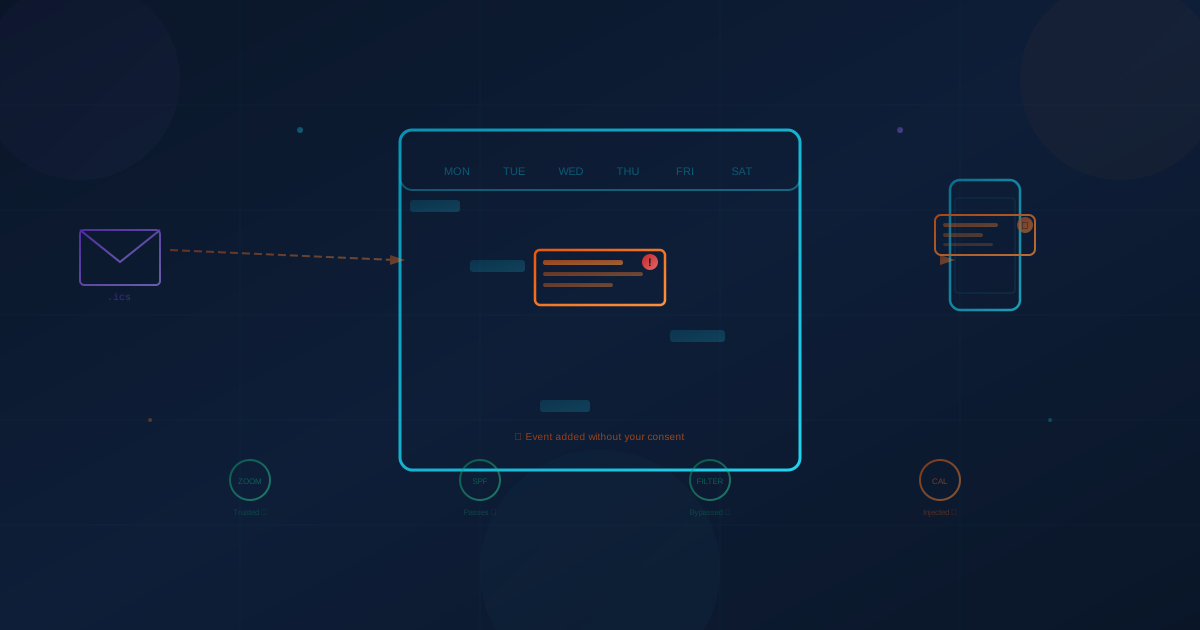
They hadn't created anything. Someone had registered for a Zoom webinar using their email address—without their knowledge or consent. When Zoom sent the confirmation and calendar invite, it went straight to their inbox and auto-populated on their calendar. No clicking required. No permission asked.
This is calendar injection—a technique that sits at the intersection of aggressive marketing abuse and genuine cyberattack. And it's a growing blind spot that most businesses aren't prepared for.
How Calendar Injection Works
Traditional phishing relies on getting someone to open an email, click a link, and take an action. Calendar injection skips most of those steps.
Here's the basic mechanism:
- An attacker (or aggressive marketer) obtains your email address from a data broker, LinkedIn scrape, or purchased contact list.
- They register for their own event using your email address on a platform like Zoom, Google Calendar, or Microsoft Outlook—or they send a crafted .ics calendar file directly.
- The platform sends a legitimate confirmation email and calendar invite to your address. Because the email comes from a trusted sender (Zoom, Google, Microsoft), it passes SPF, DKIM, and DMARC authentication checks and sails through spam filters.
- The event auto-populates on your calendar. If you have default settings enabled—which most people do—the event appears as if you created it or are an attendee. Reminder notifications follow.
The result: an unsolicited event sitting on your calendar with links you never requested, bypassing every email security tool your organization has in place.
The Zoom Registration Problem
The scenario our client experienced—Zoom webinar registration abuse—has become so widespread that Zoom's own community forums are flooded with complaints. Users report receiving daily spam registrations for webinars they never signed up for, complete with calendar entries and phone reminders.
The core issue is that Zoom's webinar registration system allows anyone to register any email address without verification. No double opt-in. No confirmation click required. Once registered, Zoom's servers—a trusted sender that virtually every organization whitelists—deliver the calendar invite directly to the victim's inbox.
This creates a uniquely difficult problem for IT teams:
- You can't block the sender because the emails come from zoom.us—blocking that domain would break legitimate Zoom communications.
- Spam filters don't catch it because the emails are technically legitimate Zoom communications that pass all authentication checks.
- Unsubscribing may not help. Some users report that clicking unsubscribe links has little effect, and may actually confirm to the sender that the email address is active.
Zoom has acknowledged the issue and introduced enhanced unsubscribe options, but the fundamental problem—registration without email verification—remains unresolved as of early 2026.
It's Not Just Zoom—And It's Not Just Marketing
While the Zoom webinar abuse tends to be aggressive B2B marketing, calendar injection as a broader technique is being weaponized for far more dangerous purposes.
Large-Scale Phishing Campaigns
According to Check Point researchers, attackers launched a campaign that delivered over 4,000 spoofed Google Calendar invites to approximately 300 organizations within a four-week period. The invites appeared to come from known, legitimate individuals and successfully bypassed spam filters by passing all standard email authentication checks.
Four Million Devices at Risk
Research from Bitsight TRACE discovered more than 390 abandoned domains related to iCalendar synchronization, still receiving daily sync requests from nearly 4 million iOS and macOS devices. These forgotten calendar subscription domains—originally used for things like public holidays or school schedules—could be purchased by attackers and used to push malicious events to millions of devices simultaneously.
Bitsight notes that four million is likely a severe undercount, as their research only covered a fraction of the Apple ecosystem and didn't include Android devices at all.
Zero-Day Exploits Targeting Calendar Files
The threat has moved well beyond social engineering. In early 2025, attackers exploited a zero-day vulnerability in Zimbra Collaboration Suite (CVE-2025-27915) to target Brazilian military organizations through weaponized .ics calendar files that enabled arbitrary JavaScript execution, credential theft, and data exfiltration.
A separate vulnerability discovered in Microsoft Outlook in 2025 (CVE-2025-32705) enabled remote code execution through specially crafted calendar invitations—the exploit could trigger without the user explicitly opening the file, just through Outlook's automatic preview feature.
AI-Powered Calendar Attacks
In January 2026, researchers from security firm Miggo demonstrated how Google's Gemini AI assistant could be manipulated through prompt injection hidden in calendar events. If a malicious event contains a jailbreak prompt and a user asks their AI assistant to "summarize my upcoming events," the AI could execute harmful actions—potentially leaking private data from other calendar entries.
Why This Matters for Businesses
Calendar injection is effective precisely because it exploits trust. Unlike a phishing email that lands in your inbox—where employees have been trained to be suspicious—a calendar event appears as a trusted part of your daily schedule. It shows up as a notification on your phone, a reminder on your desktop, and an entry in the same calendar where you track client meetings and deadlines.
For small and medium-sized businesses, the risks fall into several categories:
The Marketing Abuse Endgame
In the Zoom webinar scenario, the "attacker" is typically a legitimate company running aggressive lead generation. Their endgame:
- Get you on a sales call disguised as an educational webinar
- Collect your information (name, title, company, phone) when you join
- Qualify you as a lead and initiate a sales pipeline
- Follow up persistently with calls and emails
The free gift incentive (an insulated mug, a gift card) is a classic tactic to boost attendance. A company willing to forge registrations to get you on a call isn't one you want to do business with—but the real concern is what this tactic reveals about your organization's exposure.
The Cybersecurity Endgame
When the technique is used by actual threat actors rather than overzealous marketers, the stakes are considerably higher:
- Credential harvesting: A fake meeting link that redirects to a spoofed login page designed to steal your Microsoft 365 or Google Workspace credentials
- Malware delivery: A calendar event prompting you to download a "required plugin" or "meeting attachment" that installs malicious software
- Reconnaissance: Gathering information about your organization's tools, vendors, and infrastructure from webinar registration forms—information that can fuel more targeted attacks later
- Business Email Compromise setup: Establishing a vendor relationship through a webinar interaction that later becomes the basis for a fraudulent invoice or payment redirect
As we've discussed in our analysis of how email accounts can be compromised, attackers are constantly finding new ways to establish initial access. Calendar injection is simply the latest entry point—one that most security awareness training doesn't cover.
What Organizations Can Do
Calendar injection is difficult to prevent entirely because it exploits legitimate platform features rather than technical vulnerabilities. But several measures can reduce the risk:
Disable Auto-Add for Calendar Invites
This is the single most impactful step. In Google Calendar:
- Go to Settings → Events from Gmail → Disable "Automatically add events from Gmail to my calendar"
- Under Event settings → Change "Automatically add invitations" to "No, only show invitations to which I have responded"
For organizations using Google Workspace, super admins can enforce these settings at the organizational level: navigate to Admin Console → Apps → Google Workspace → Calendar → Sharing settings to control calendar sharing and external invitation policies across specific org units—ensuring employees can't inadvertently override these protections.
In Microsoft Outlook, administrators can configure policies to prevent automatic acceptance of meeting requests from external senders.
Train Employees on Calendar-Based Social Engineering
Most security awareness programs focus on email phishing. Calendar injection is a gap that needs to be addressed. Employees should understand:
- Legitimate meetings don't appear on your calendar without your knowledge
- Never click links in calendar events you didn't create
- Don't click "Yes/No/Maybe" on unknown invites—this confirms your email is active
- Report suspicious calendar events to IT the same way you'd report a phishing email
Review Calendar Subscription Settings
Audit any third-party calendar subscriptions across your organization. Old holiday calendars, event feeds, or team schedules that sync from external URLs could become attack vectors if those domains are abandoned or compromised.
Report Abuse
For Zoom specifically, report registration abuse through Zoom's Trust & Safety form. For Google Calendar spam, use the "Report spam" option on the event. While platform responses have been inconsistent, reporting helps build the case for better platform-level protections.
Consider Email Gateway Rules
IT administrators can create transport rules that flag or quarantine .ics file attachments from external senders, or that flag emails containing calendar invites from unknown domains—though this requires balancing security with the legitimate use of calendar invites from clients and partners.
The Bigger Picture
Calendar injection is part of a broader pattern: attackers continuously finding ways to abuse trusted infrastructure to bypass security controls. The same principle applies to how AI tools are being exploited and how supply chain attacks leverage trusted software.
The common thread is trust exploitation—using legitimate platforms, legitimate sending infrastructure, and legitimate file formats to deliver illegitimate content. Your spam filter trusts Zoom. Your calendar trusts .ics files. Your phone trusts calendar notifications. Attackers exploit every link in that trust chain.
For business leaders, the takeaway is straightforward: if an event appears on your calendar that you didn't create, treat it with the same suspicion you'd give an unexpected email from an unknown sender. And if your organization hasn't reviewed its calendar security settings recently, now would be a good time.
Because the next meeting invite on your calendar might not be a meeting at all.
This article is intended for informational purposes only and does not constitute professional security, legal, or compliance advice. Organizations should consult with qualified professionals to assess their specific circumstances and develop appropriate protective measures.